DLE Forum
DLE Forum — is a native forum and community module for DataLife Engine that adds a full-featured system of sections, topics, replies, user profiles, and moderation to the site. The module combines classic forum capabilities with modern community features: private messages, notifications, reactions, attachments, user profiles, SEO links, and flexible appearance settings from the admin panel.
Buy nowDLE Forum — forum module for DataLife Engine
DLE Forum is a full-fledged forum and community module developed natively for DataLife Engine. The module is integrated into an existing DLE site and adds a structured forum with categories, sections, topics, posts, private messages, notifications, user profiles, a reputation system, badges, reactions, moderation, and flexible access rights settings. All components work through standard DLE mechanisms: templates, user groups, routing, and the admin panel.
The module is designed for sites that need a full forum within a DLE project: product support, a thematic community, discussion of site content, questions and answers, closed sections for certain user groups, as well as social communication between registered members.
General concept
DLE Forum is not just a basic bulletin board. The module combines several layers of functionality: a classic forum structure, a profile system with cover images and social links, a notification center, private messages in messenger style, attachments with group-based access control, message reactions, trust levels, badges, a moderator action log, and a visual appearance editor. As a result, a DLE site gets not just a “forum” section, but a community platform встроенная into the existing site without third-party frameworks or external dependencies.
Forum structure
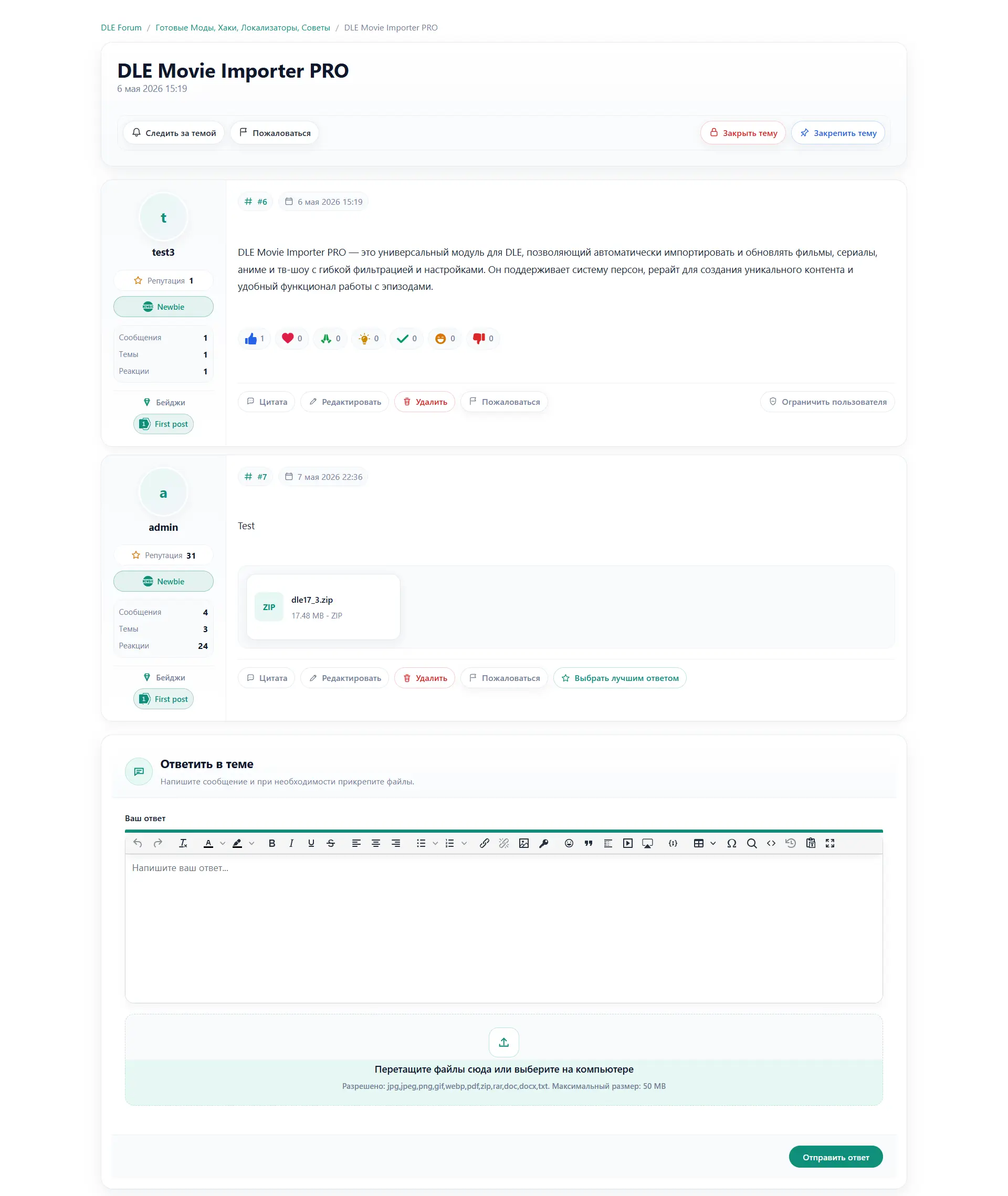
The forum is organized according to a classic three-level scheme: categories → sections (forums) → topics → posts. Each level has its own page with breadcrumbs, counters, and metadata.
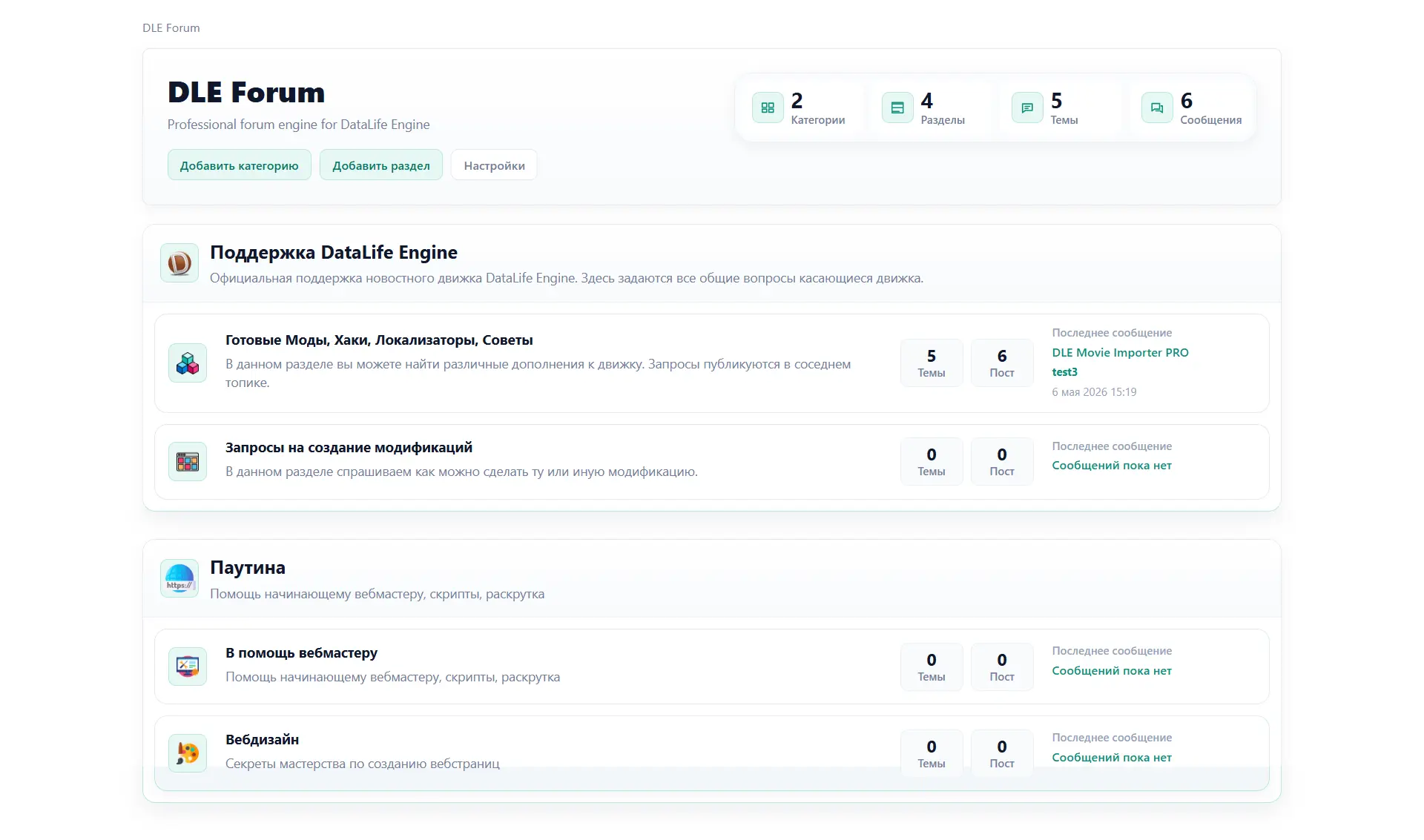
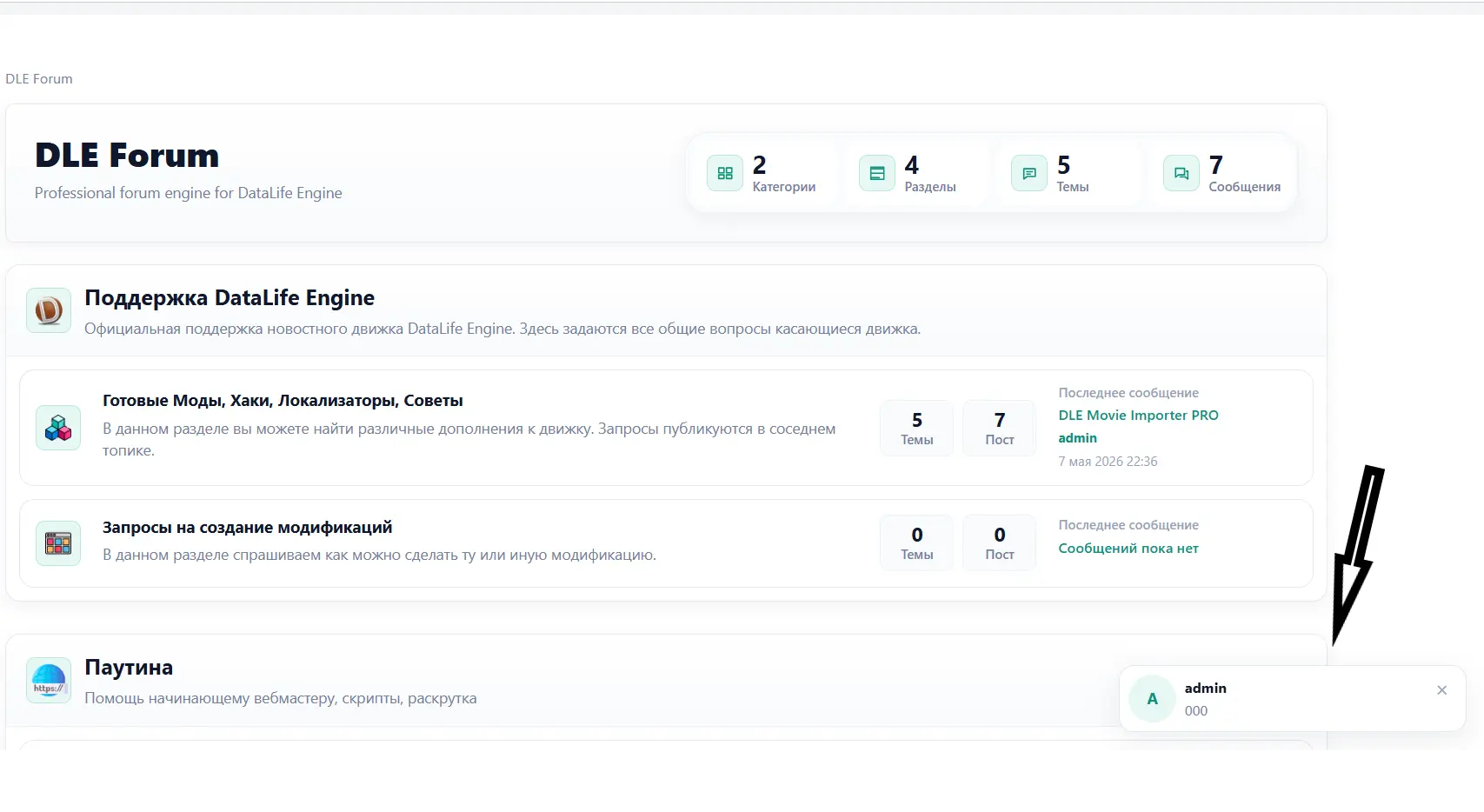
- The forum homepage displays all active categories and the sections within them.
- The category page shows its sections with icons, descriptions, topic and post counters, as well as information about the latest post.
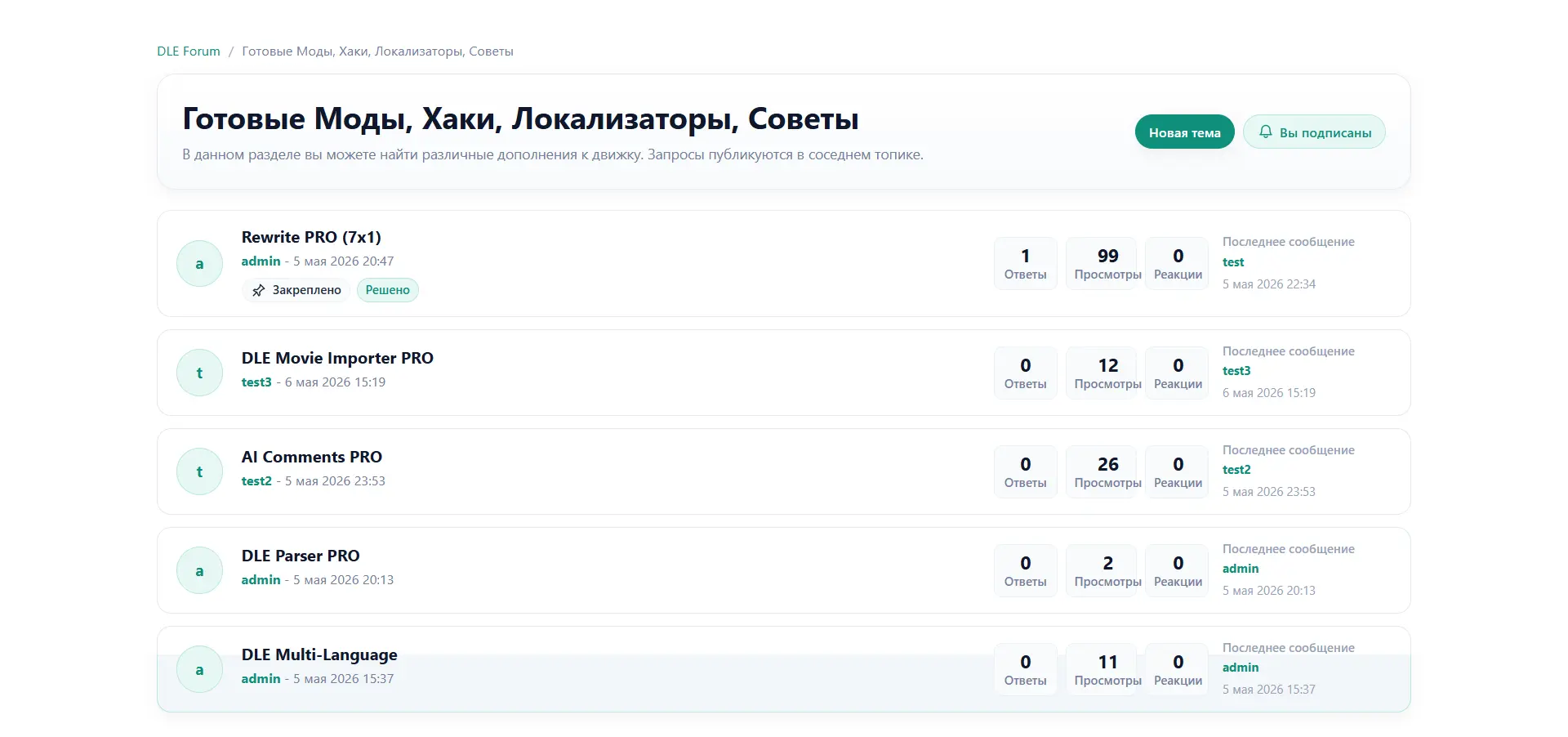
- The section page displays a list of topics with pagination, pin and lock statuses, a reply counter, and the date and author of the latest reply.
- Pinned topics (pinned) are displayed at the top of the section list.
- Closed topics (locked) are visible to users, but replies are disabled.
- Topics in which the best answer has been selected are marked as solved (solved).
- Breadcrumbs are present on all forum pages and are generated dynamically.
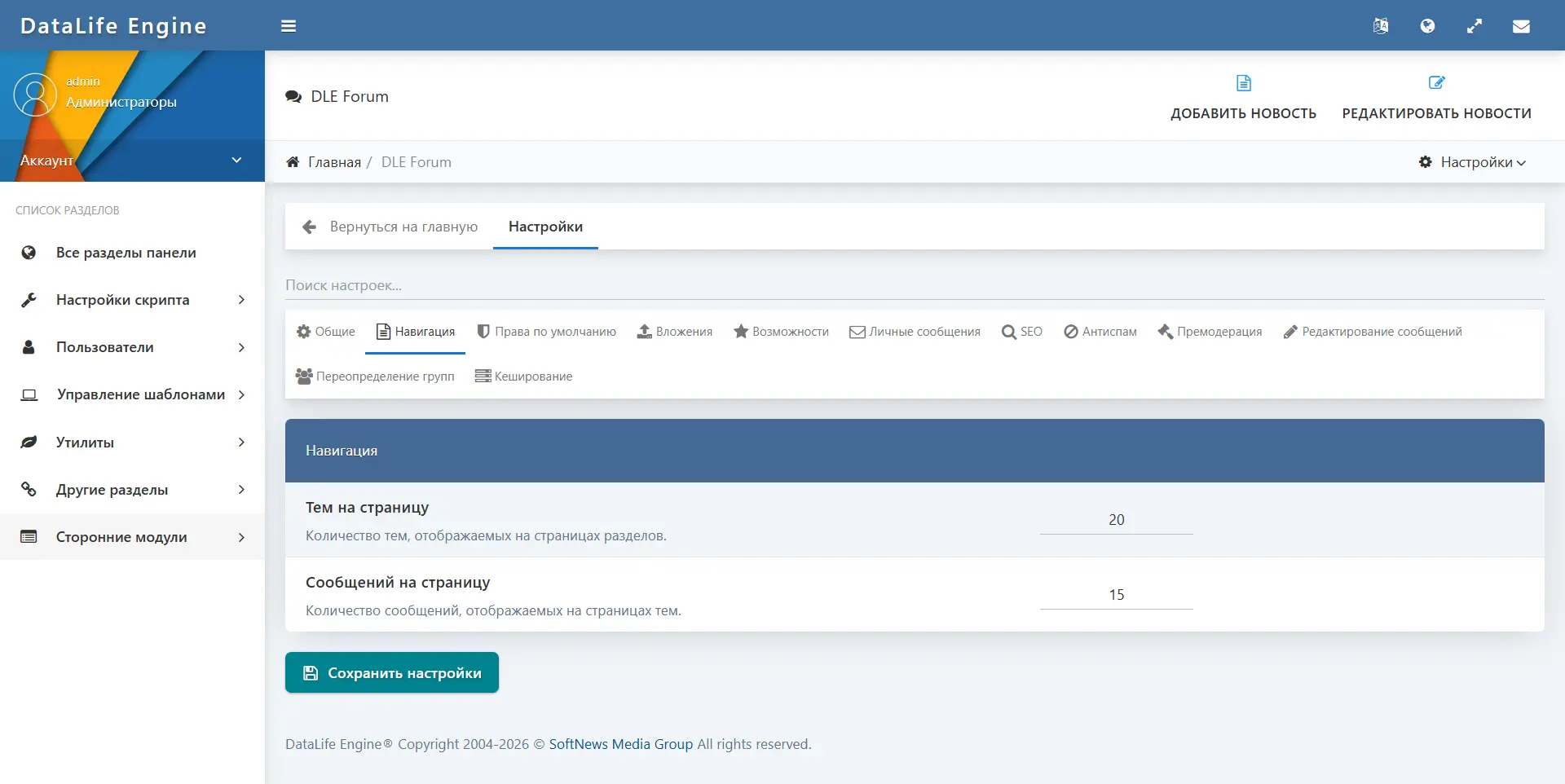
- Pagination works on section and topic pages; the number of topics and posts per page is configurable in the admin panel.
Topics and posts
Creating topics and replies is implemented with TinyMCE editor integration. Every action on a topic or post is performed via AJAX without a full page reload.
- The authorized user can create a new topic in a section they have access to.
- Replies to topics support formatting through the built-in TinyMCE editor.
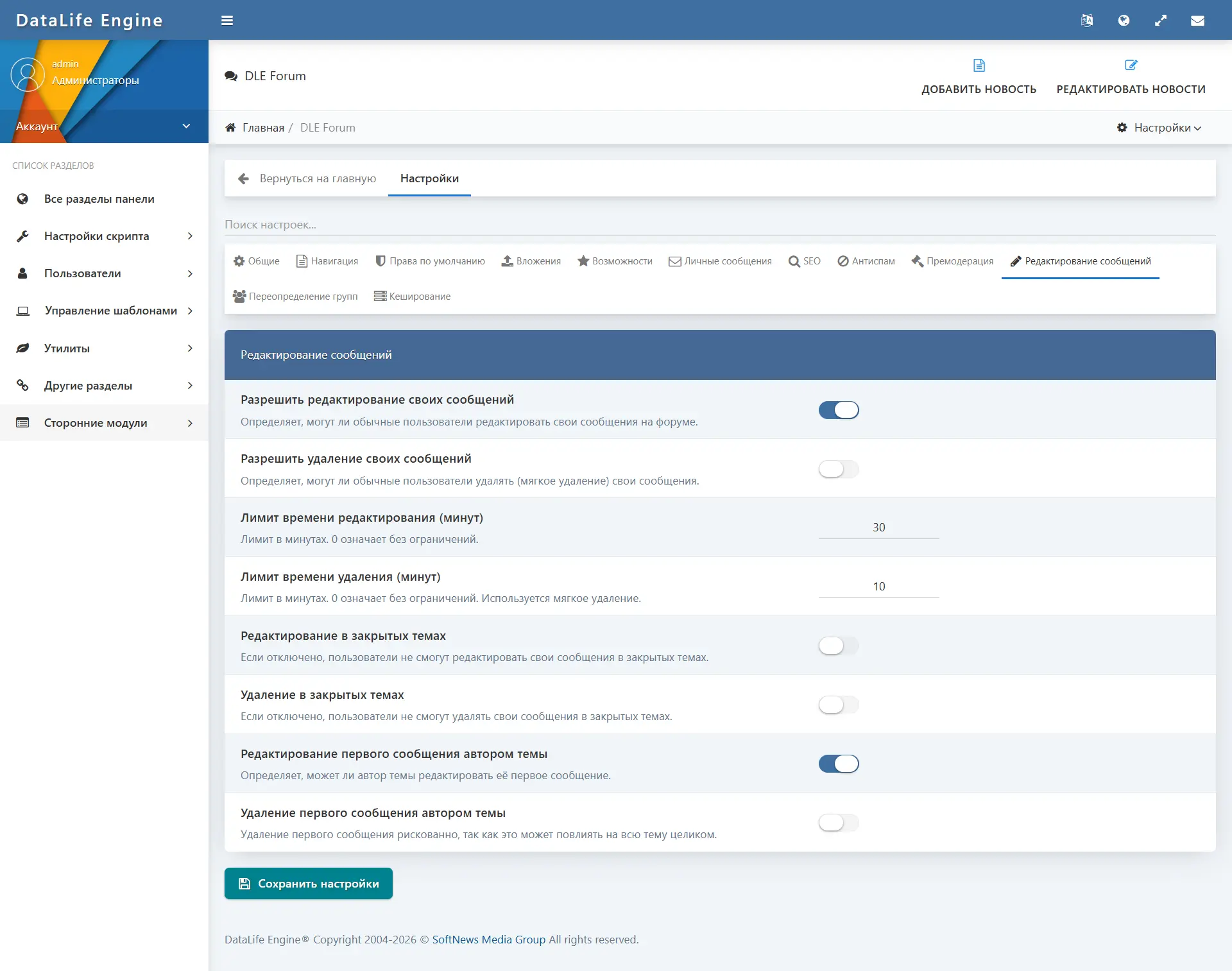
- Editing your own posts is available for a configurable period of time (or without any time limit).
- Deleting your own posts works according to a similar scheme with a time limit; the deleted post is replaced by a placeholder (soft delete).
- Quoting posts is supported through the editor.
- The topic author or a moderator can mark one of the replies as the best answer (“solution”), after which the topic gets the “solved” status.
- Moderators can close, pin, open, unpin, move, delete, and restore topics.
- Moderators can delete, restore, and approve posts.
- All actions with topics and posts are recorded in the moderator log.
- Files can be attached to posts and topics (see the “Attachments” section).
- Users can report any post or topic through the built-in report form.
User Profile and Social Features
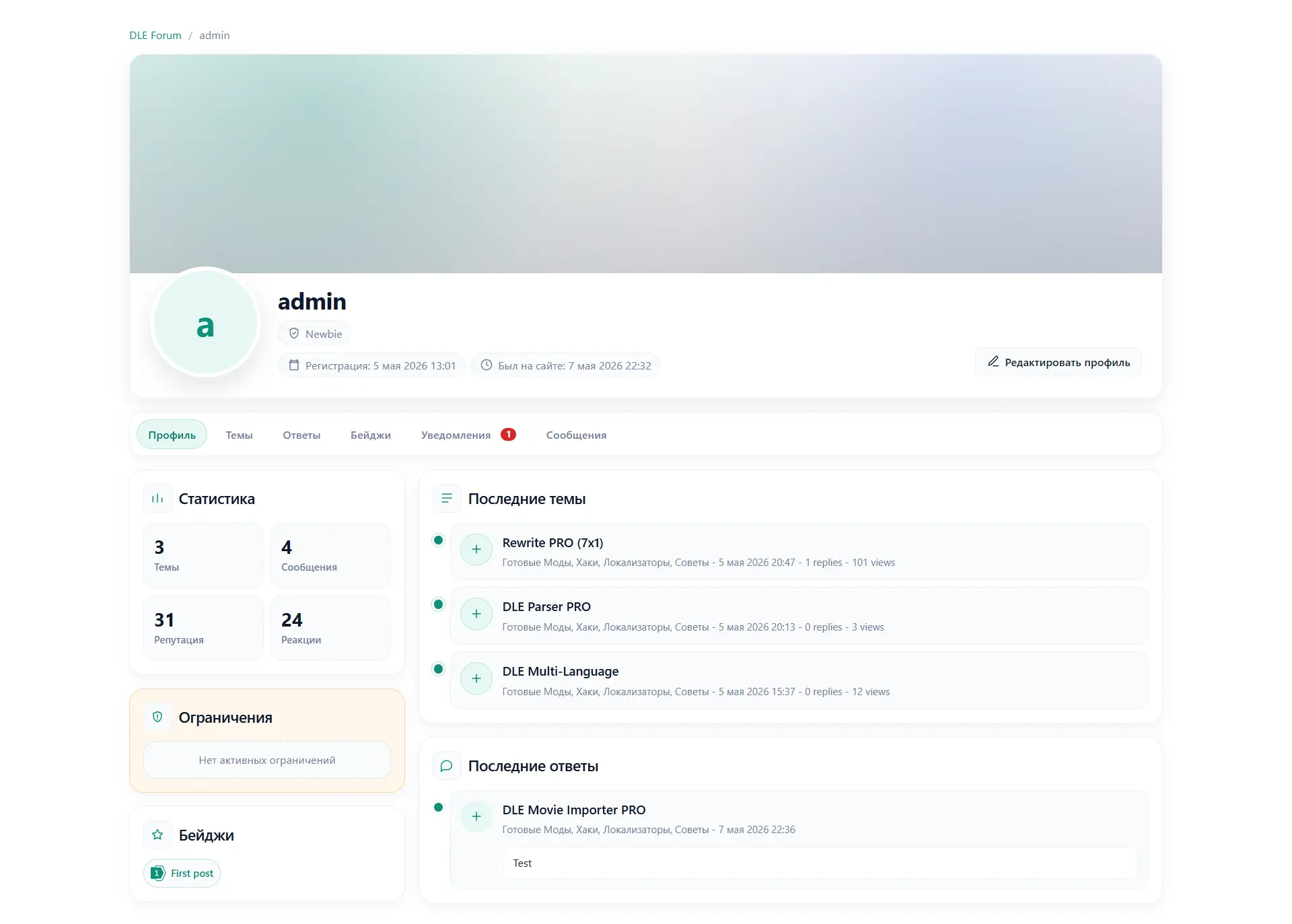
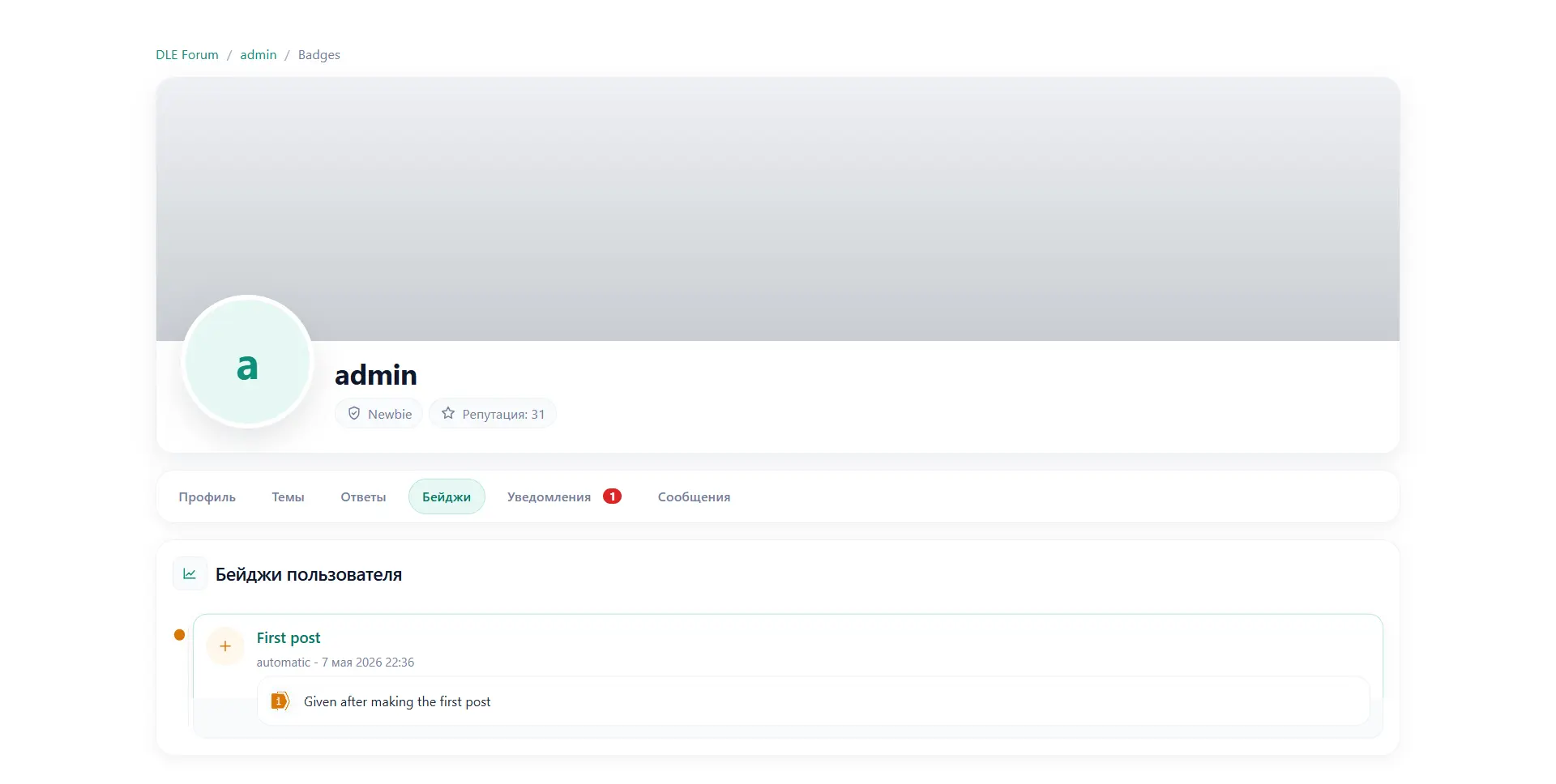
Each forum user has their own profile page, which displays their activity, statistics, badges, and trust level.
- The user avatar is displayed from the DLE profile.
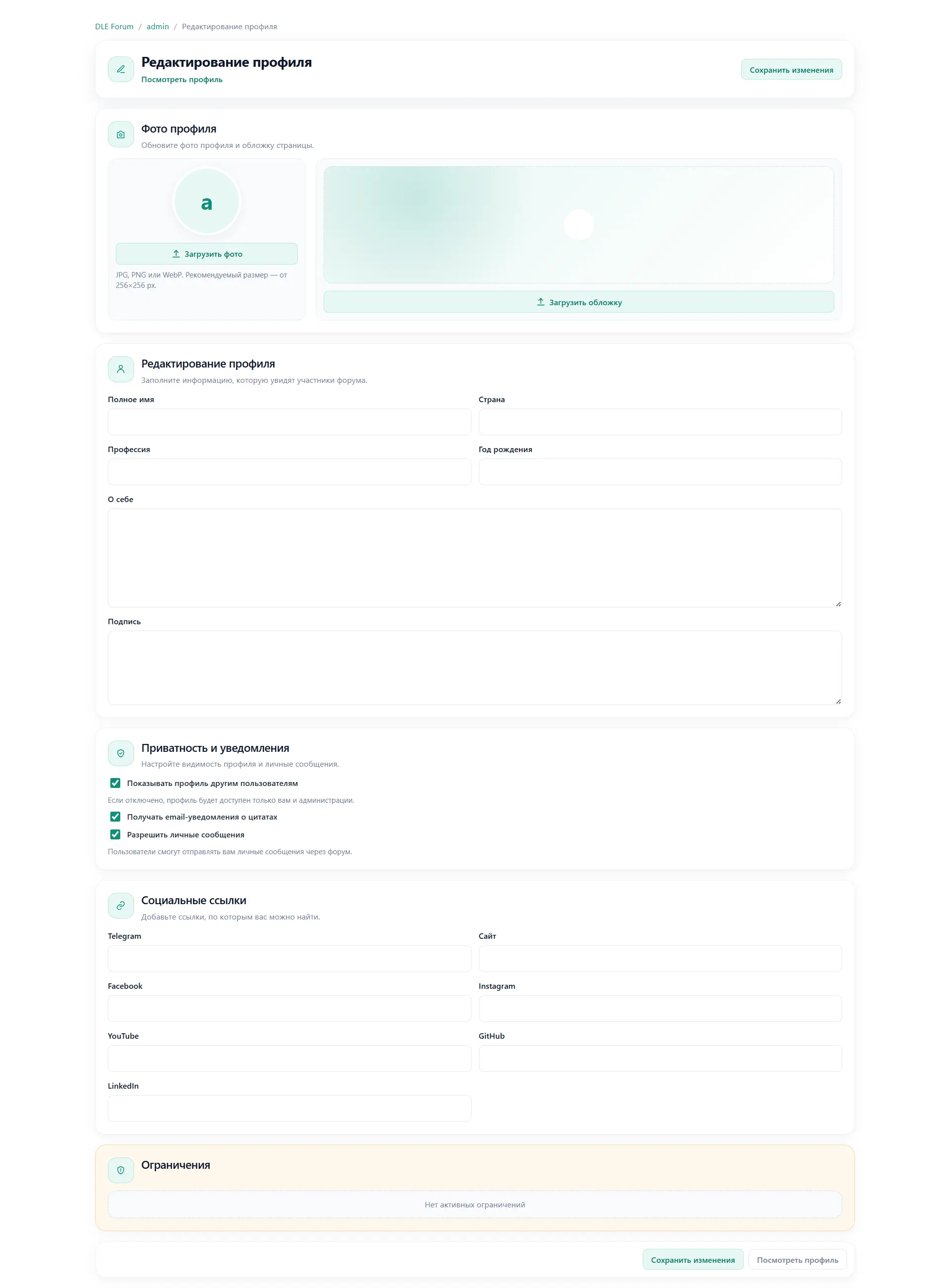
- Uploading a profile cover is supported — a wide-format banner on the profile page.
- The profile contains: name, description (about), signature, country, profession, year of birth.
- Social network links are supported: Telegram, website, Facebook, Instagram, YouTube, GitHub, LinkedIn.
- The statistics tab displays: number of topics, posts, reputation, number of received reactions, registration date, last visit date.
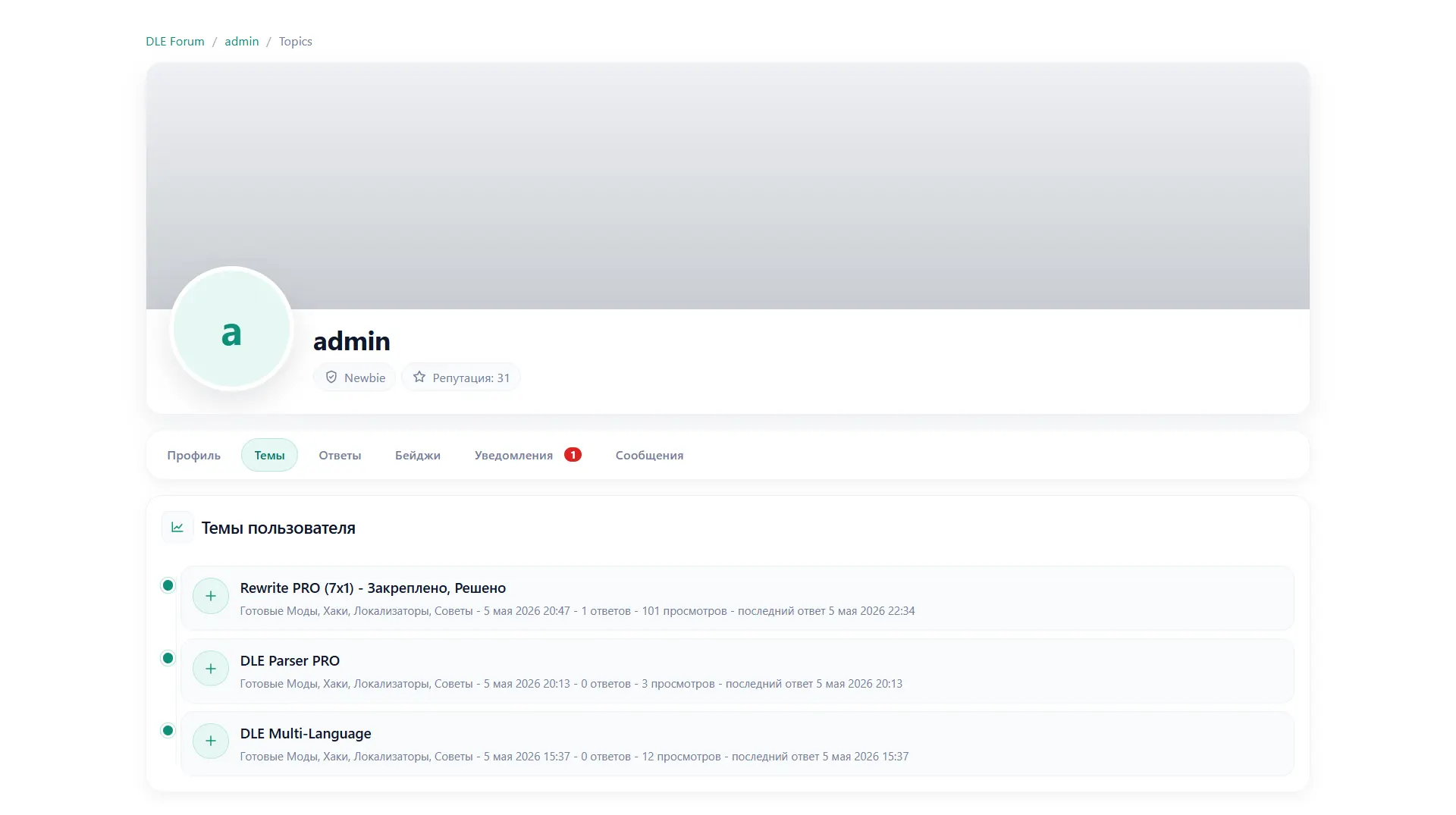
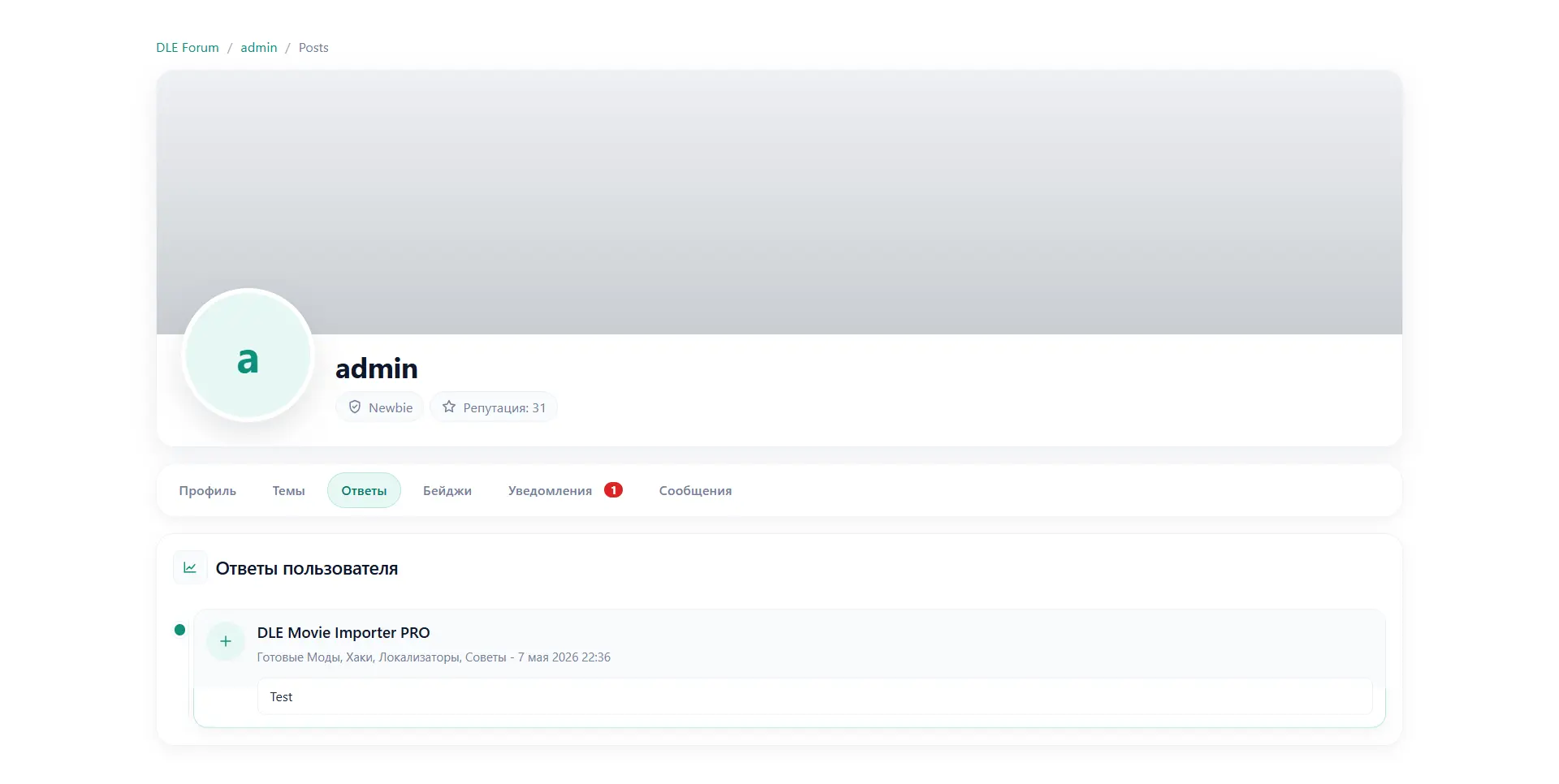
- Profile tabs: “Profile”, “Topics”, “Posts”, “Badges”.
- Each tab supports separate pagination for the user’s topics and posts.
- The user can configure profile privacy: hide the full profile from other participants.
- Private message privacy setting: the user can prevent other users from sending them private messages.
- From any profile, the “Send message” button is available, opening the private messages panel.
- The profile editing page allows you to change all fields, upload or delete the cover, manage social links, and privacy settings.
Private Messages
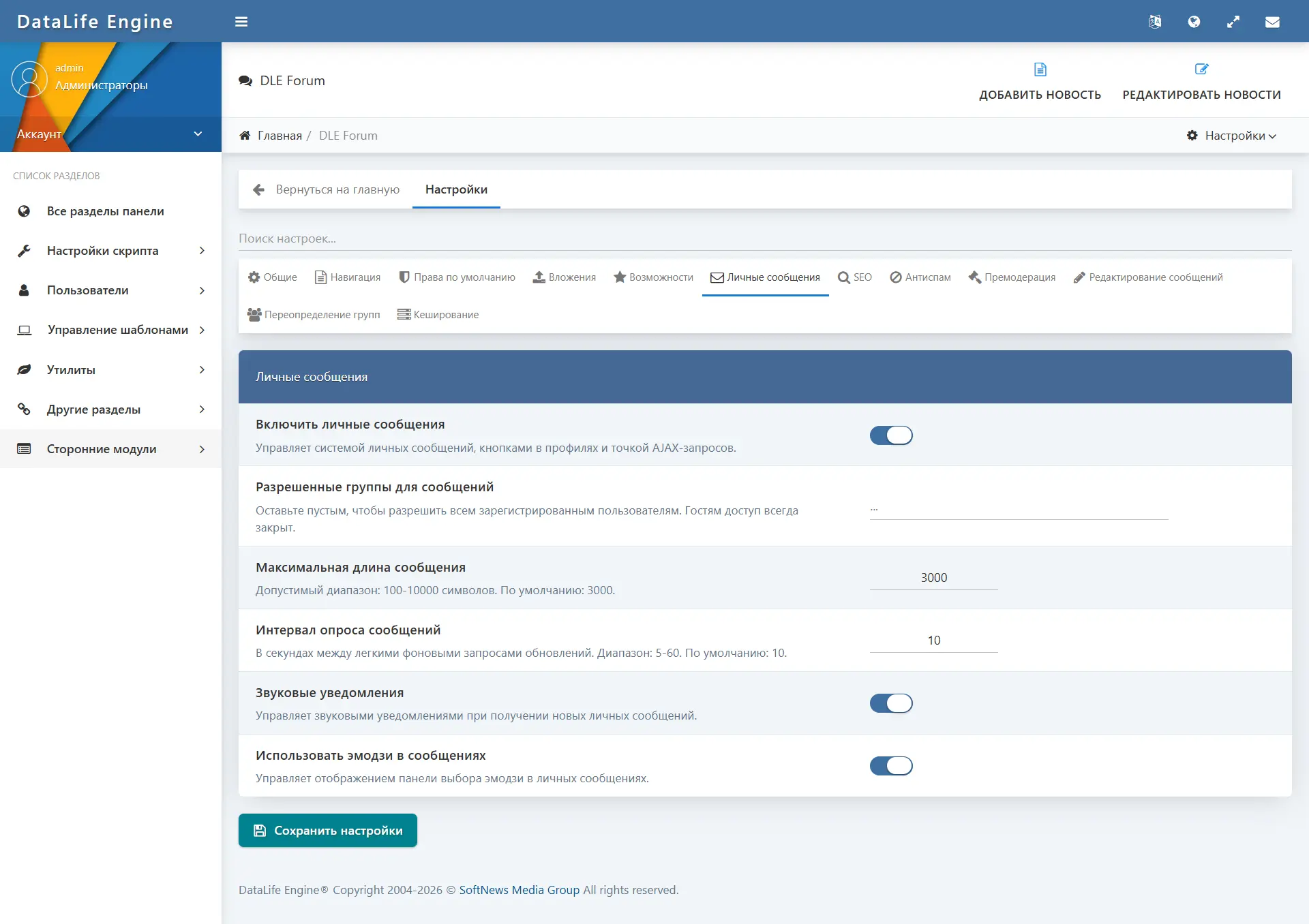
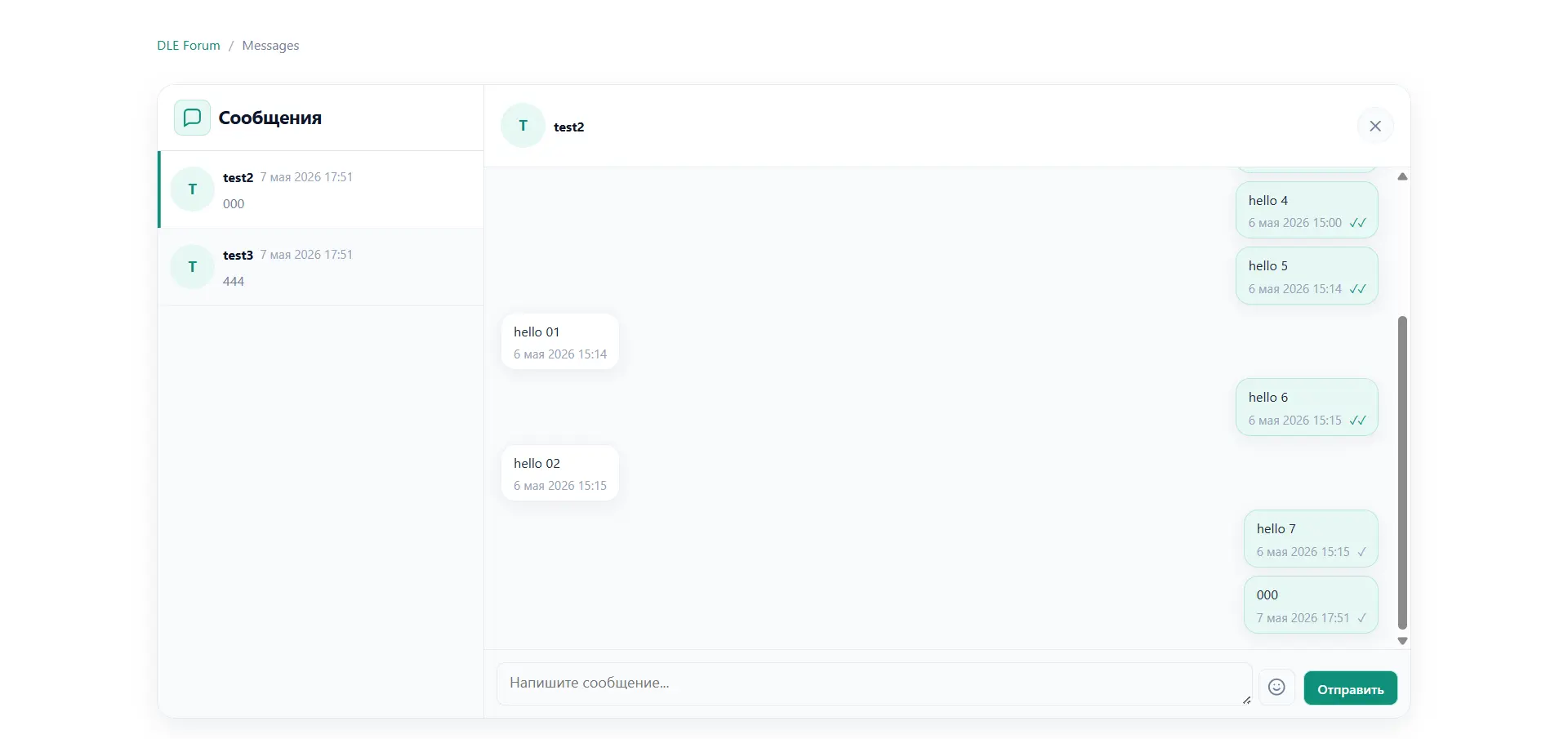
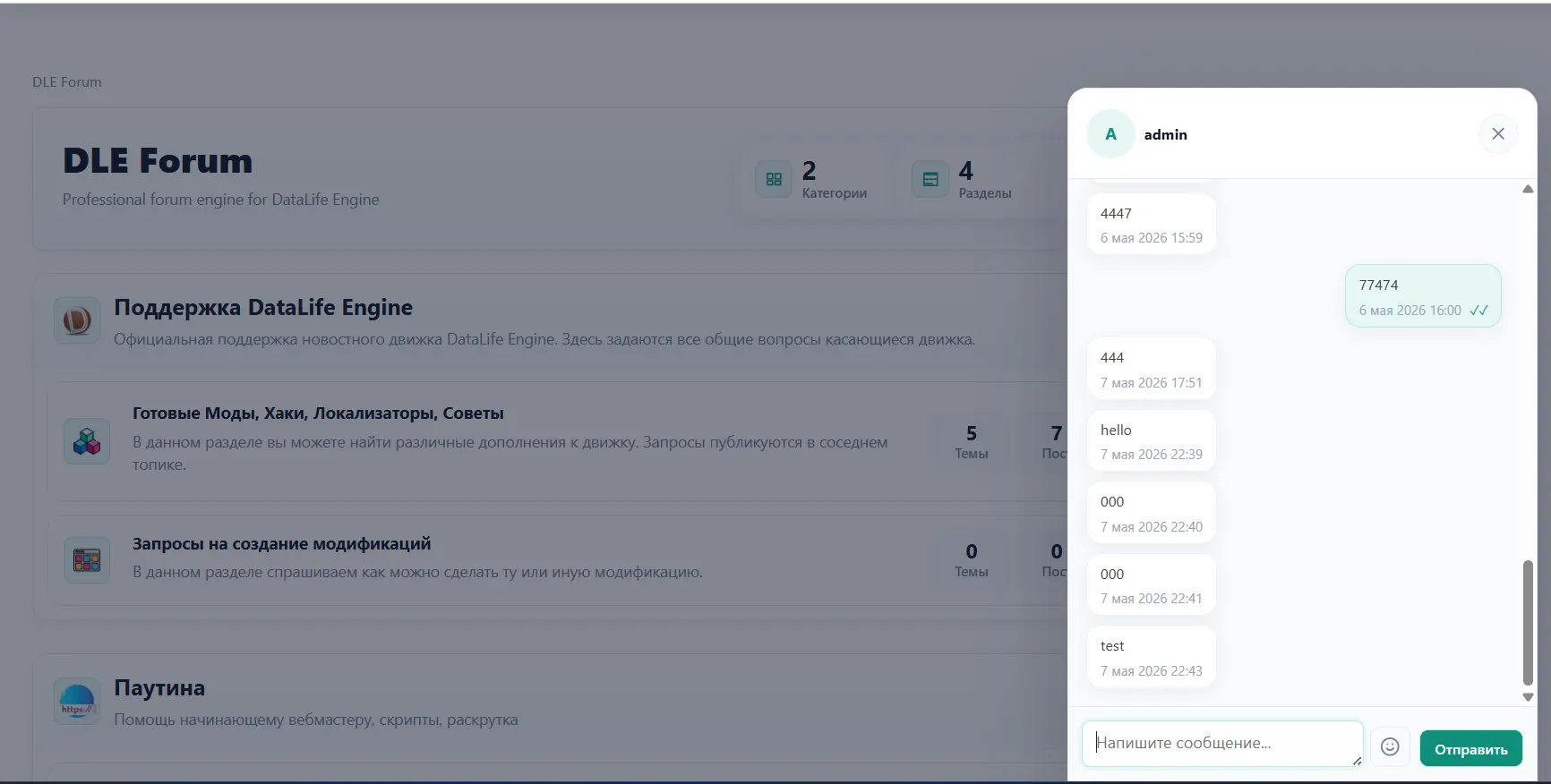
The private messaging system is one of the key features of the module. It is implemented as a messenger-like interface built directly into the forum. Communication between users takes place within the DLE site without switching to external services.
- The messages page (
/forum/messages) displays the list of conversations on the left and the correspondence on the right. - The conversation list is updated via AJAX; new messages are loaded without reloading the page.
- Messages are sent by clicking a button or pressing the Enter key.
- Each message has a status: “Sent” / “Read”.
- Emoji insertion is supported through the built-in picker.
- The unread message counter is displayed in the forum interface and is available through global DLE template tags.
- The messages panel can be opened with the “Write” button on the user profile page.
- A flood control limit is applied to prevent abuse.
- The user can prohibit others from sending them messages through privacy settings.
- The administrator can completely disable the private messaging system or restrict access for specific user groups.
- Message-sending restrictions can be imposed by the administrator on a specific user.
Notifications
The module includes its own notification center, independent of the standard DLE mechanisms.
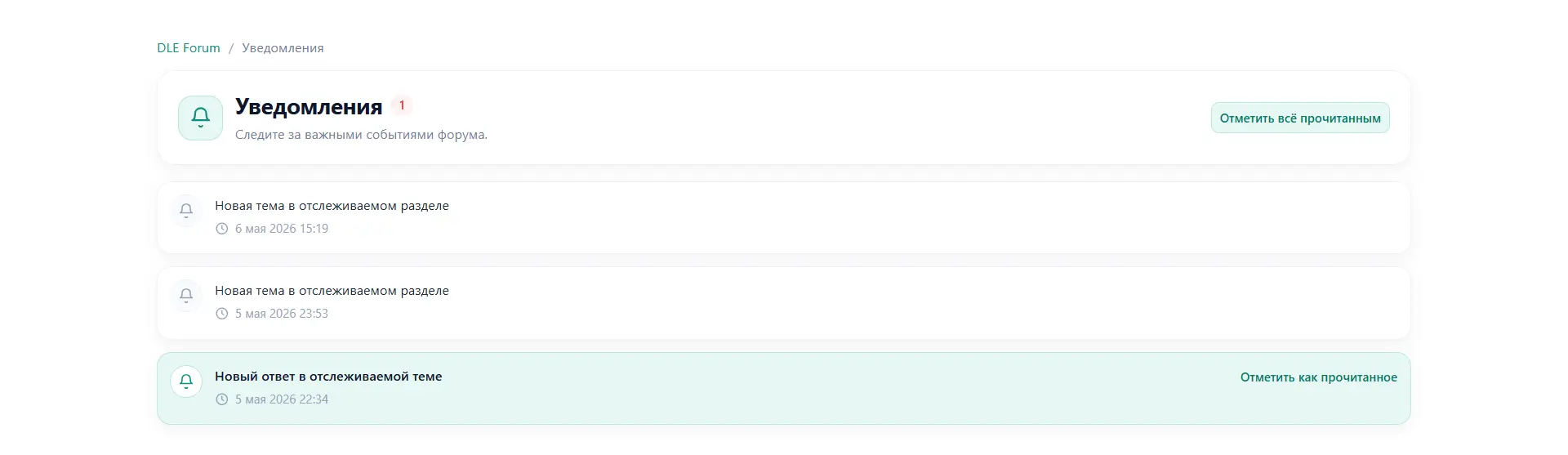
- The notifications page (
/forum/notifications) displays all events related to the user. - The user receives a notification when a new reply appears in a watched topic.
- The user receives a notification when a new topic is created in a watched section.
- Notifications are sent when a new badge is received.
- The user can subscribe to watch (watch) any topic or section via the corresponding buttons.
- The “mark all as read” function is supported.
- The number of unread notifications is available through global template tags for display in the site header or navigation.
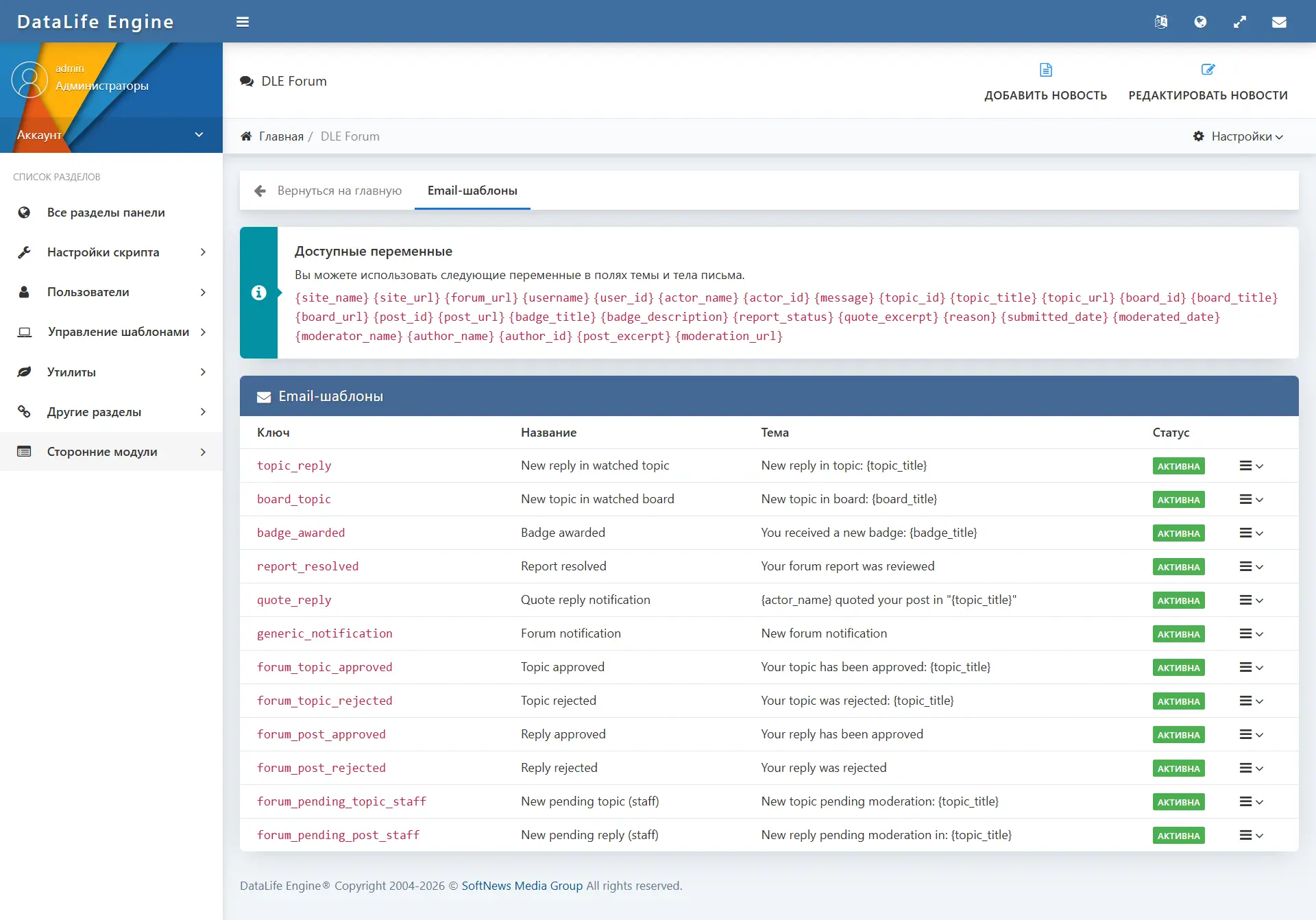
- For some events (topic replies, new topics in a section, badges, complaints), email notifications are sent via configurable email templates.
Attachments and media files
The attachment system allows files and images to be attached to topics and replies. Access to uploading and downloading files is controlled at several levels.
- File uploads are performed through an AJAX interface directly in the topic or reply creation form.
- Drag-and-drop and file selection through a dialog are supported.
- For images, a preview thumbnail is displayed; images open in a lightbox.
- Temporary files are stored separately and are automatically cleaned up if the user did not submit the message.
- Attachment downloading is available through a protected endpoint (
/forum/download/{id}), which checks user permissions before serving the file. - Upload restrictions are set at the user group level: permission to upload images, upload files, allowed extensions, maximum file size.
- Additional barriers: minimum user rating, minimum number of forum messages.
- Trust-level requirements for downloading files are configured at the section level.
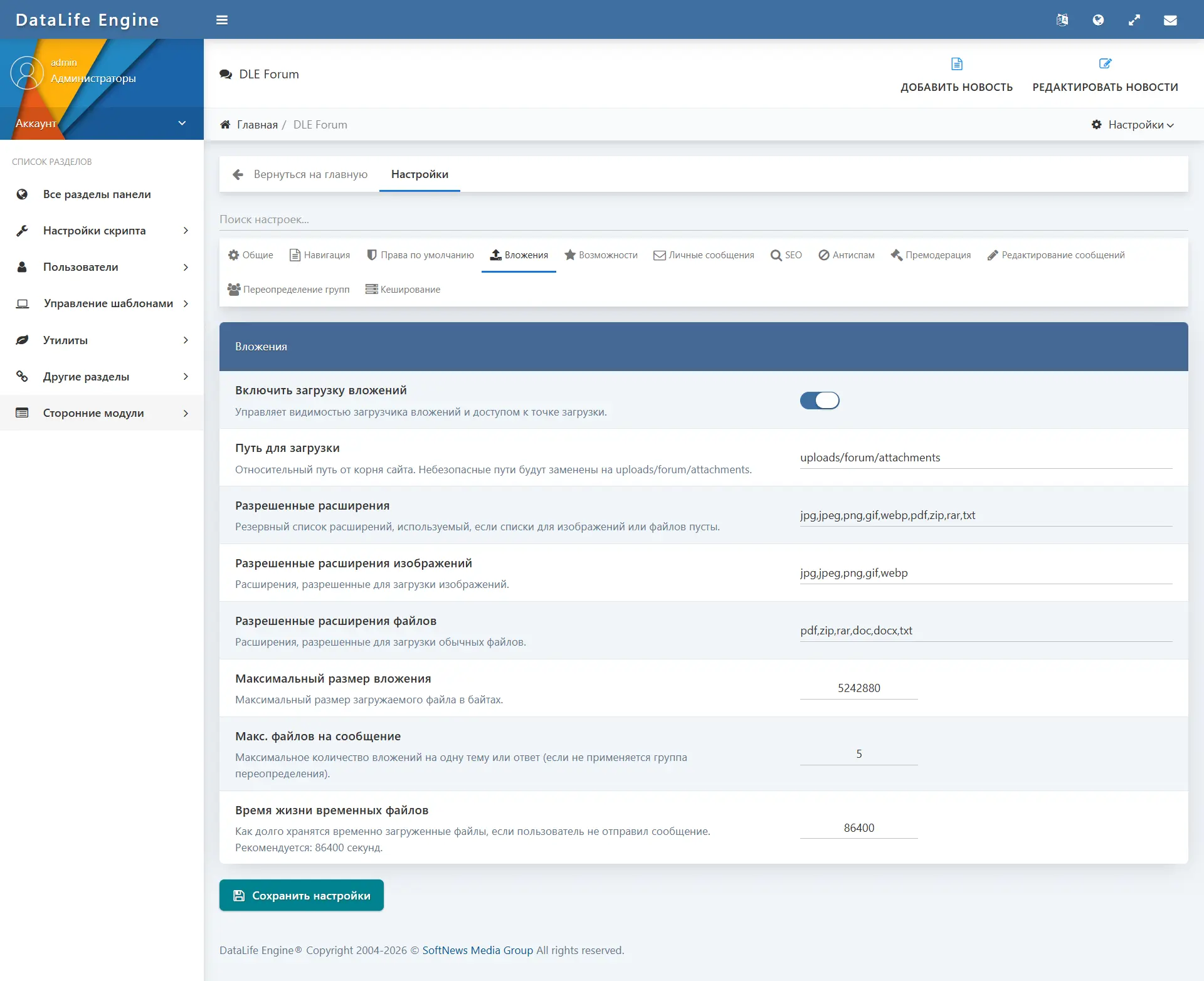
- The maximum number of files per message and the global maximum size are set in the administrator settings.
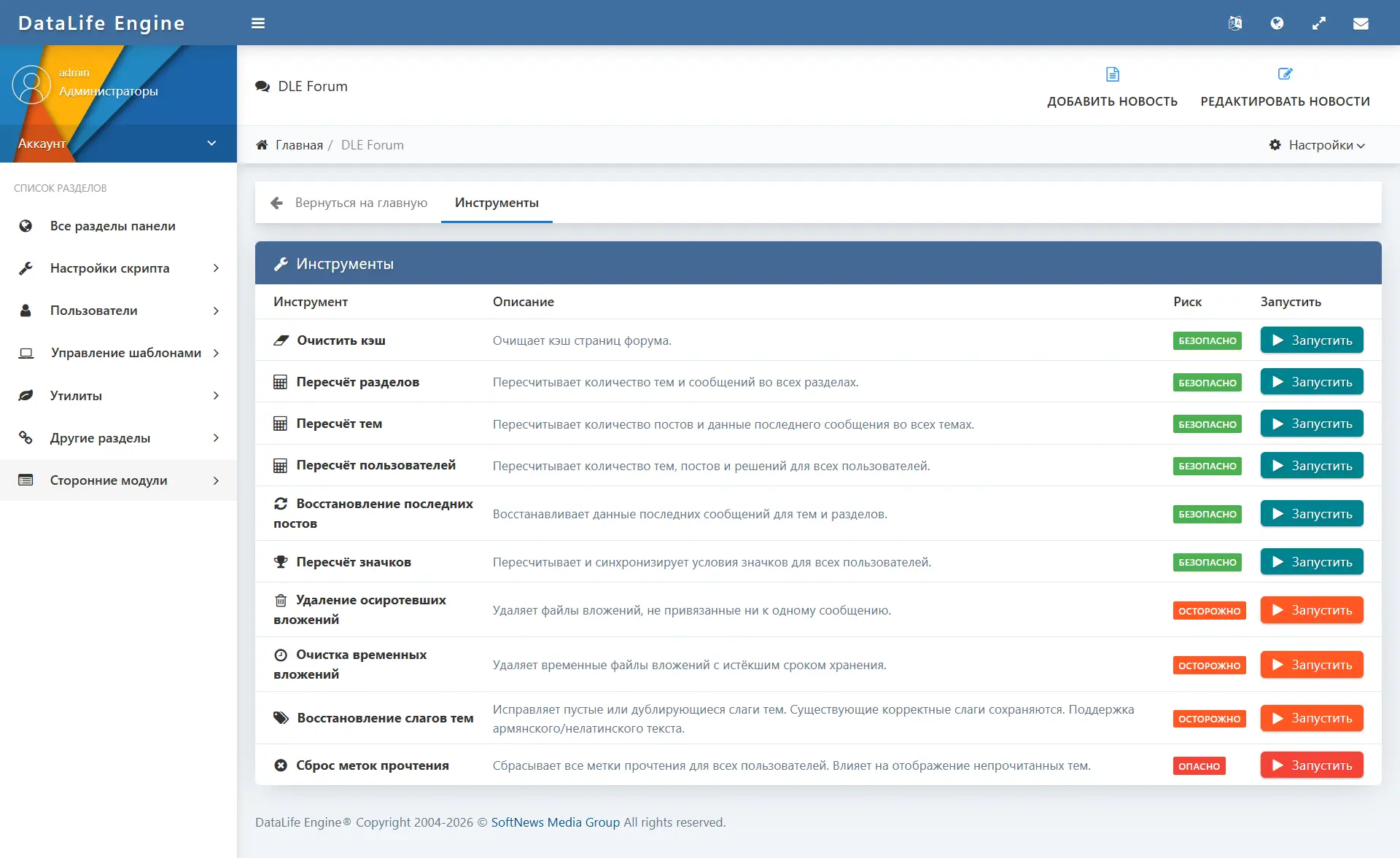
- Tools for cleaning up orphaned and expired temporary attachments are available in the administrator tools.
Reactions, reputation, and trust levels
Reactions to posts
- Users can react to any post in a topic.
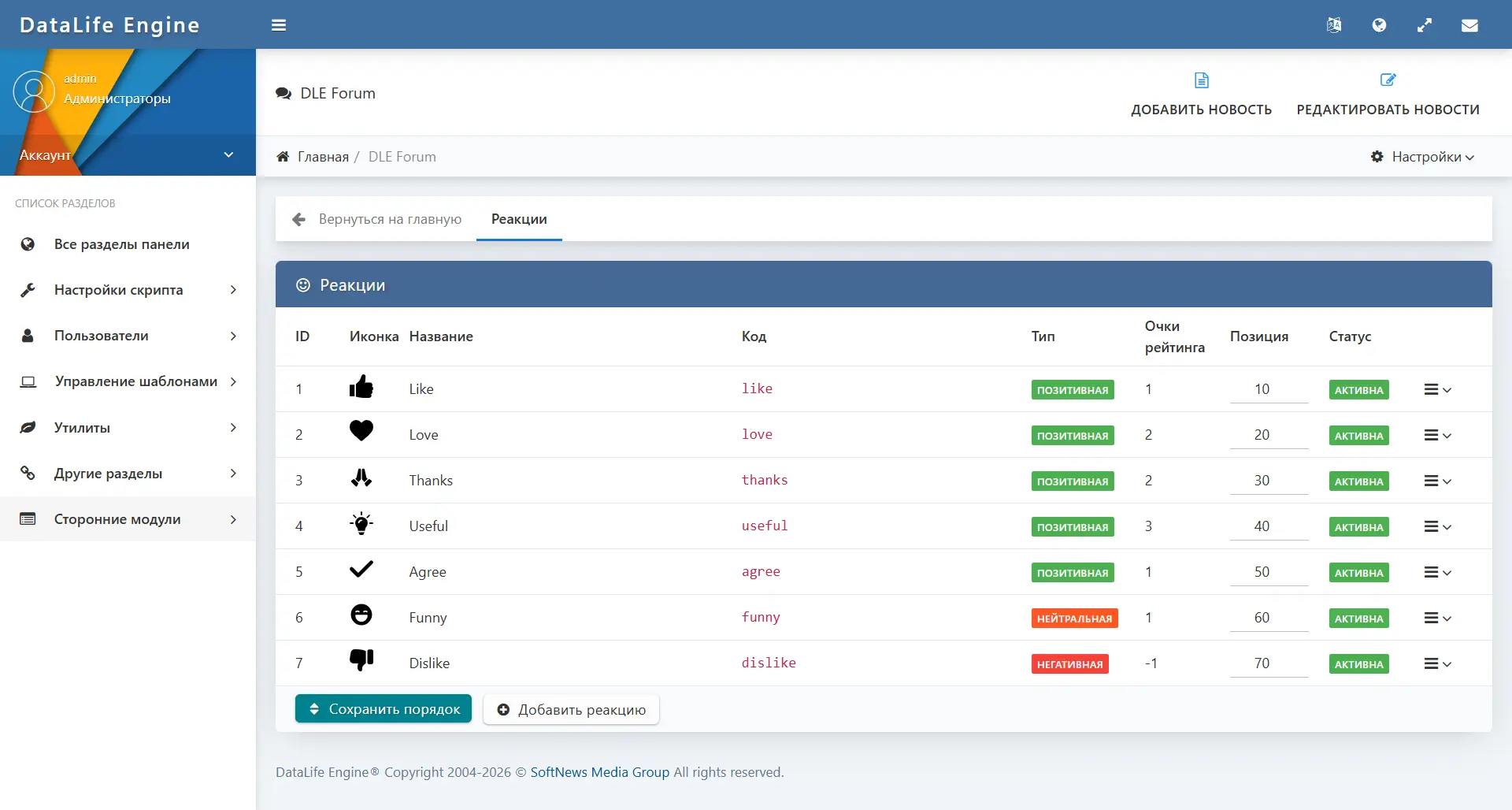
- The set of available reactions is configured by the administrator: icon (emoji, HTML, image), color, name, activity.
- Each user can add one type of reaction to one post; clicking again removes the reaction.
- Reaction counters are displayed under each post.
Reputation
- Users accumulate reputation as they become active on the forum and receive reactions.
- Reputation is displayed on the profile page and in the post sidebar.
- Reputation is the foundation of the trust level system.
Trust levels
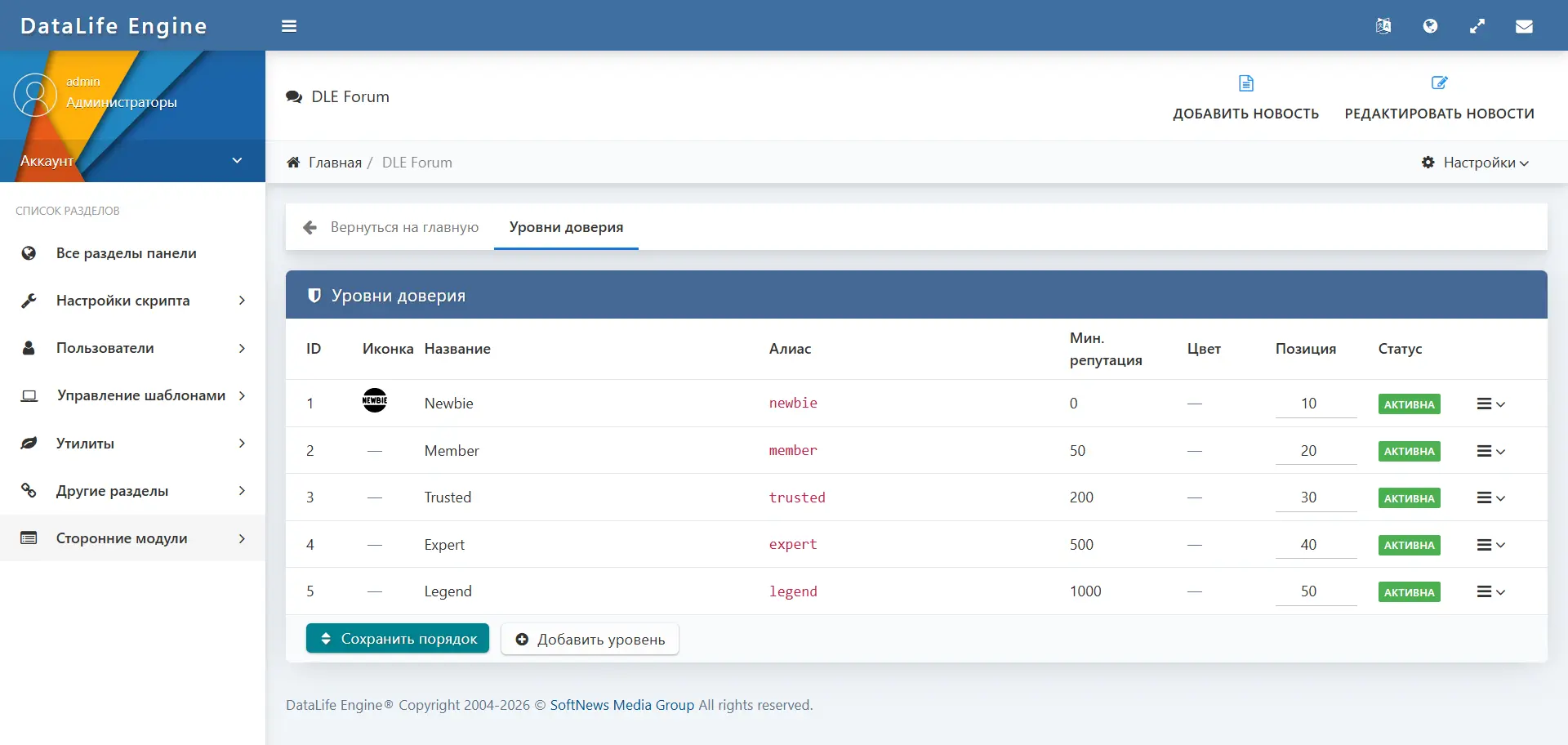
- The administrator creates trust levels with a customizable name, icon, color, and minimum reputation threshold.
- Trust levels are automatically assigned to users when the required reputation is reached.
- The trust level is displayed in the profile and in the sidebar of each user's post.
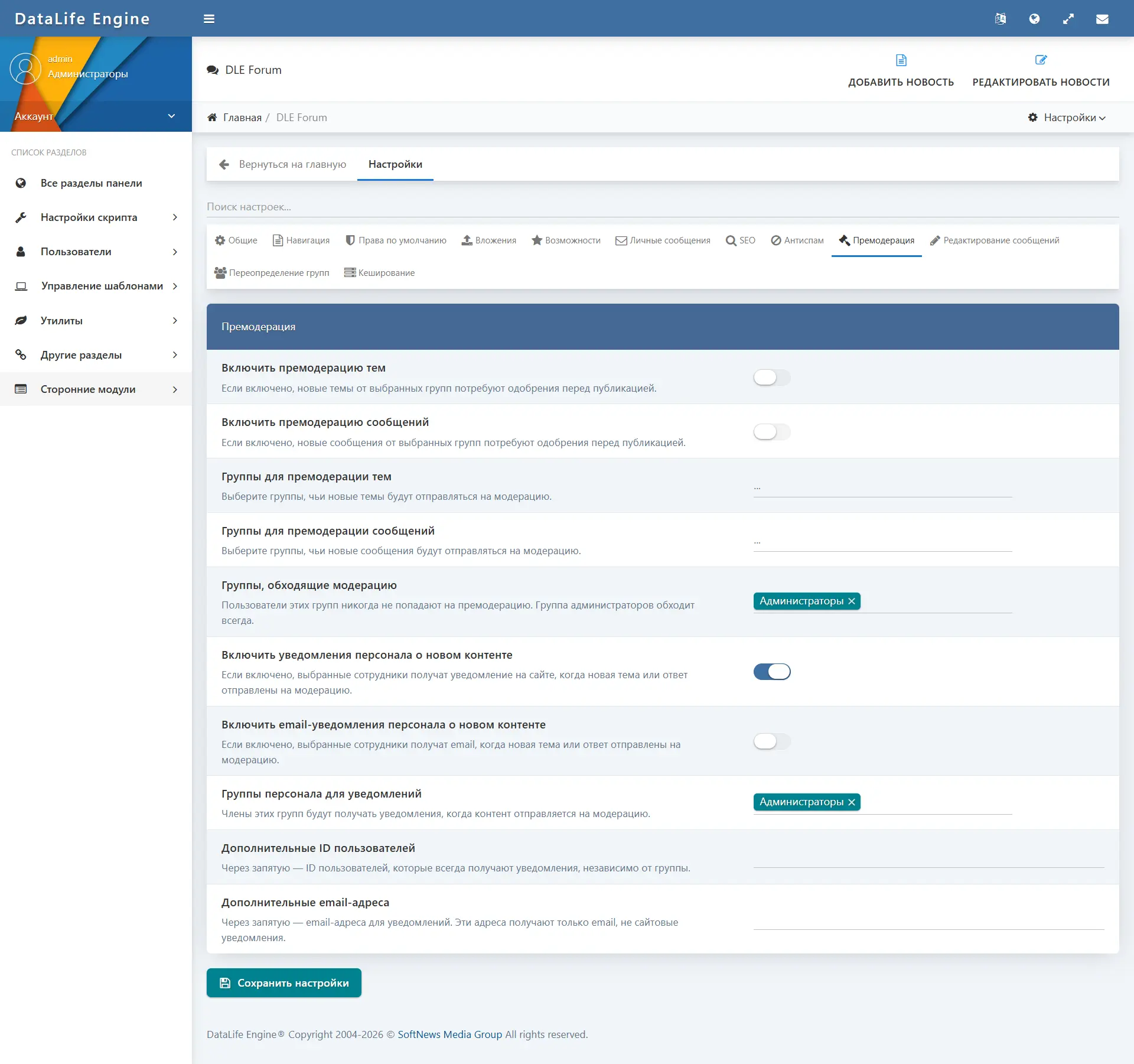
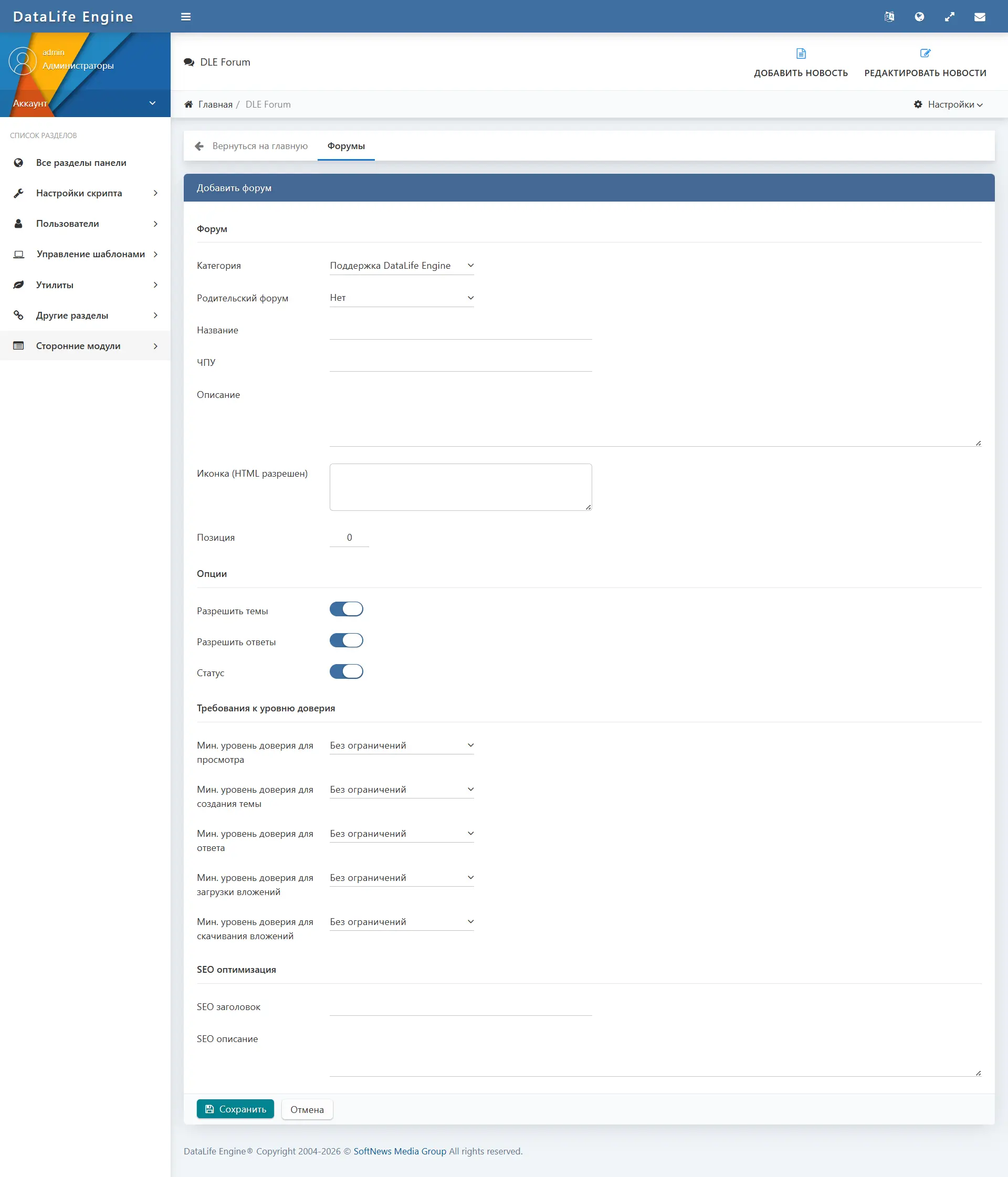
- At the section level, the administrator can set a minimum trust level for: viewing the section, creating topics, replies, uploading and downloading files.
- At the topic level, a minimum trust level is set for viewing and for replies.
Badges
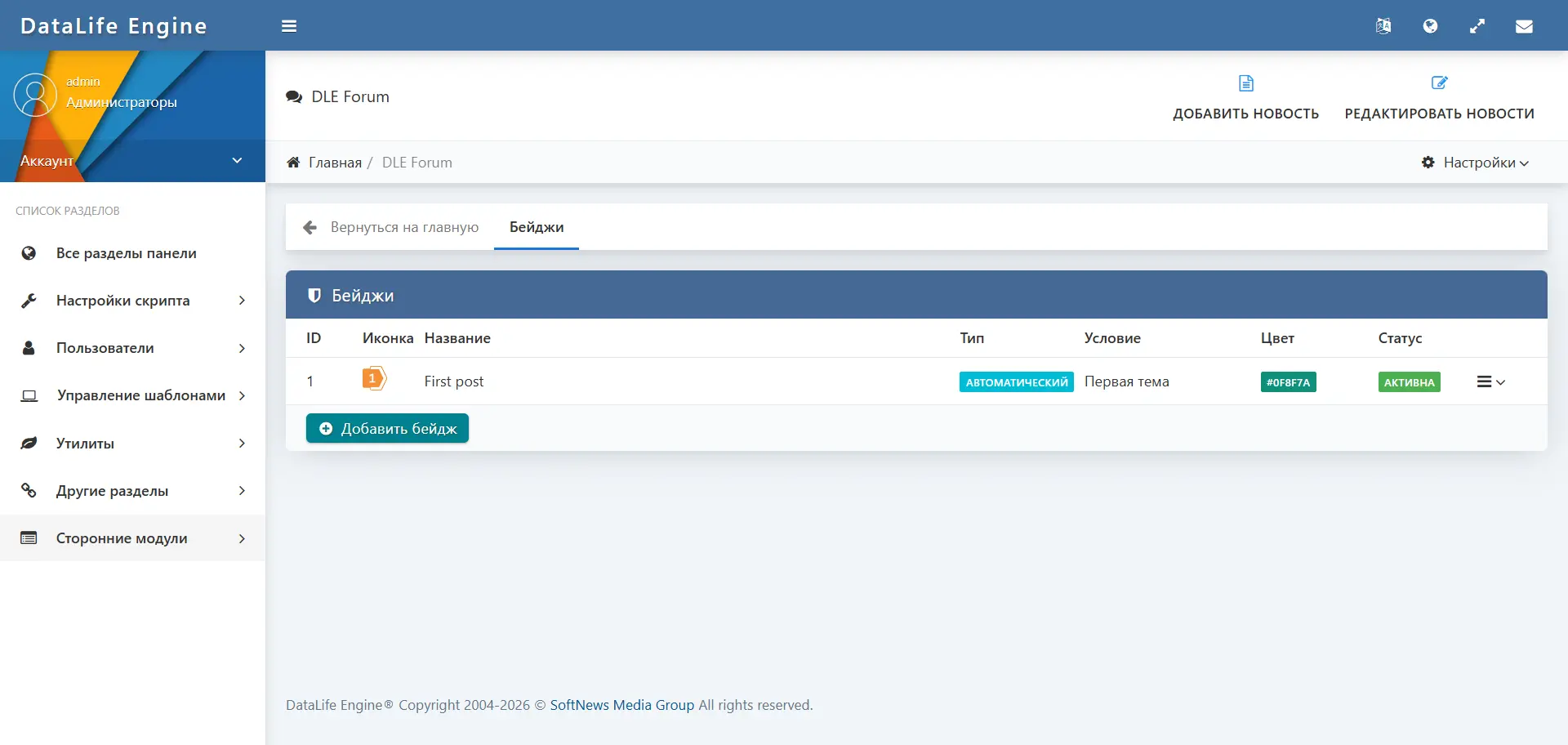
- The administrator creates badges manually or configures automatic assignment by condition.
- Supported automatic assignment conditions: first topic, first reply, number of posts, number of topics, reputation reached, number of reactions received, number of likes, popular topic, number of best answers (solved), number of reports, reaching a certain trust level.
- Badges are displayed on the user's profile page in a separate tab.
- When a user receives a new badge, they get a notification and an email message (if enabled).
Moderation and reports
Moderation tools cover all levels of forum content and support separation of permissions between administrators and moderators.
- Any authenticated user can report a topic or post, specifying a reason (spam, insult, off-topic, illegal content, duplicate, other).
- Submitting a repeat report for the same content is blocked.
- Reports are displayed in the "Reports" section of the admin panel with the following statuses: open, reviewed, closed, rejected.
- A moderator can mark a report as reviewed, close it, or reject it.
- Moderator actions on topics: close, open, pin, unpin, move to another section, delete, restore.
- Moderator actions on posts: delete, restore.
- All moderator actions are logged with the executor, action, target, and time.
- The moderator log is available in the "Logs" section of the admin panel.
- The admin panel displays a dashboard summary: number of open reports, deleted topics, hidden posts, and active restrictions.
User restrictions
An administrator or moderator can impose individual restrictions on a specific user for separate forum actions.
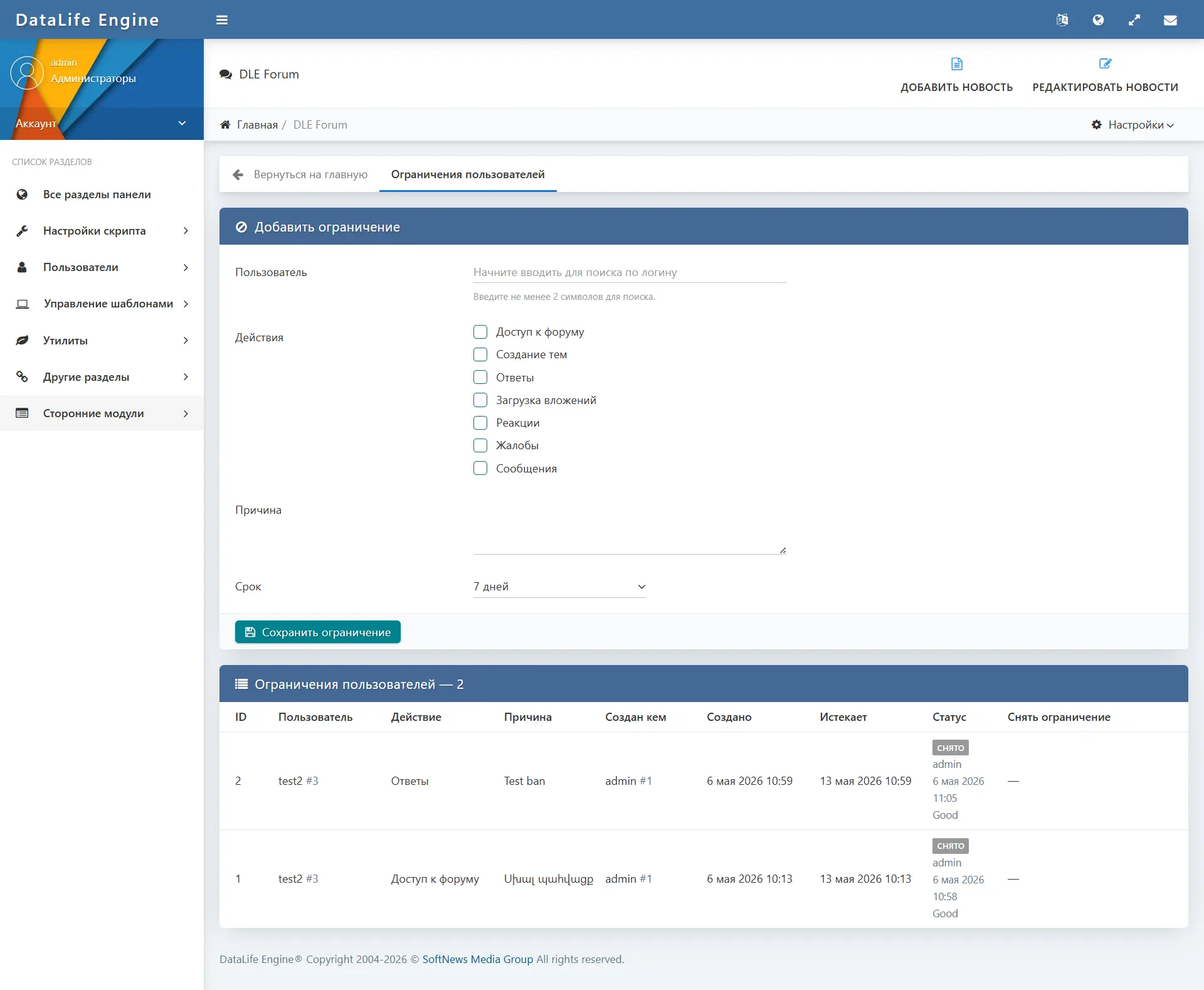
- Available types of restrictions: forum access, topic creation, replies, attachment uploads, reactions, reports, private messages.
- Restriction duration: 1 day, 7 days, 30 days, or indefinitely.
- When applying a restriction, a reason must be specified.
- The restriction can be lifted early with a reason for removal specified.
- The user sees a notification about active restrictions when attempting to perform a restricted action.
- Protected users (administrators, moderators) cannot be restricted.
- The list of all active restrictions is available in the “User Restrictions” section of the admin panel.
Access Rights
The permissions system works on several levels and uses DLE user groups.
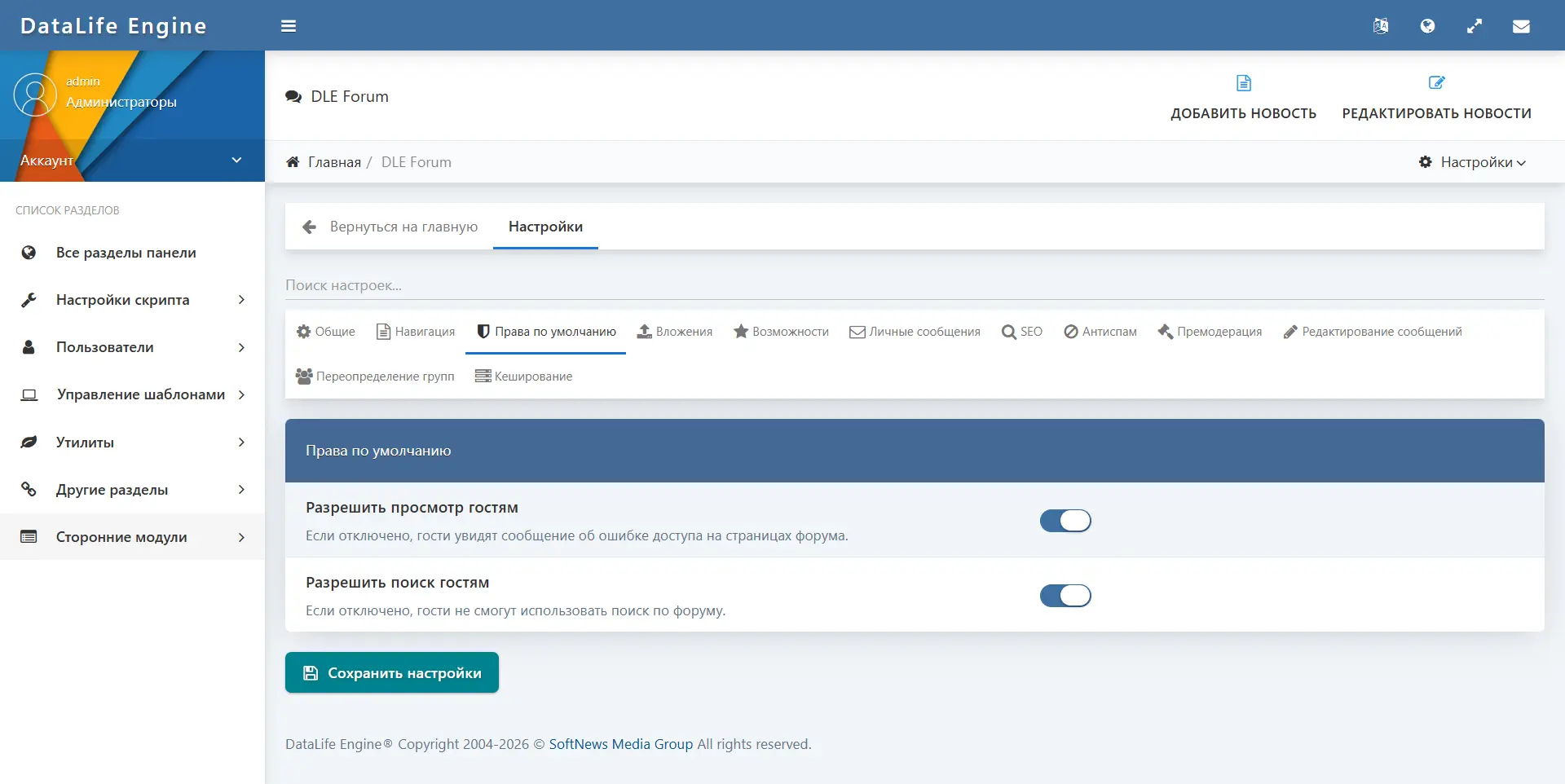
- Global settings allow or deny forum viewing for guests, search for guests.
- User groups are configured in the “Permissions” section of the admin panel: each group is assigned permissions for viewing, topic creation, replies, file uploads, using reactions, etc.
- Sections support access restriction by trust level (minimum reputation) for viewing, topic creation, replies, uploads, and downloads.
- Topics support trust-level restriction for viewing and for replies.
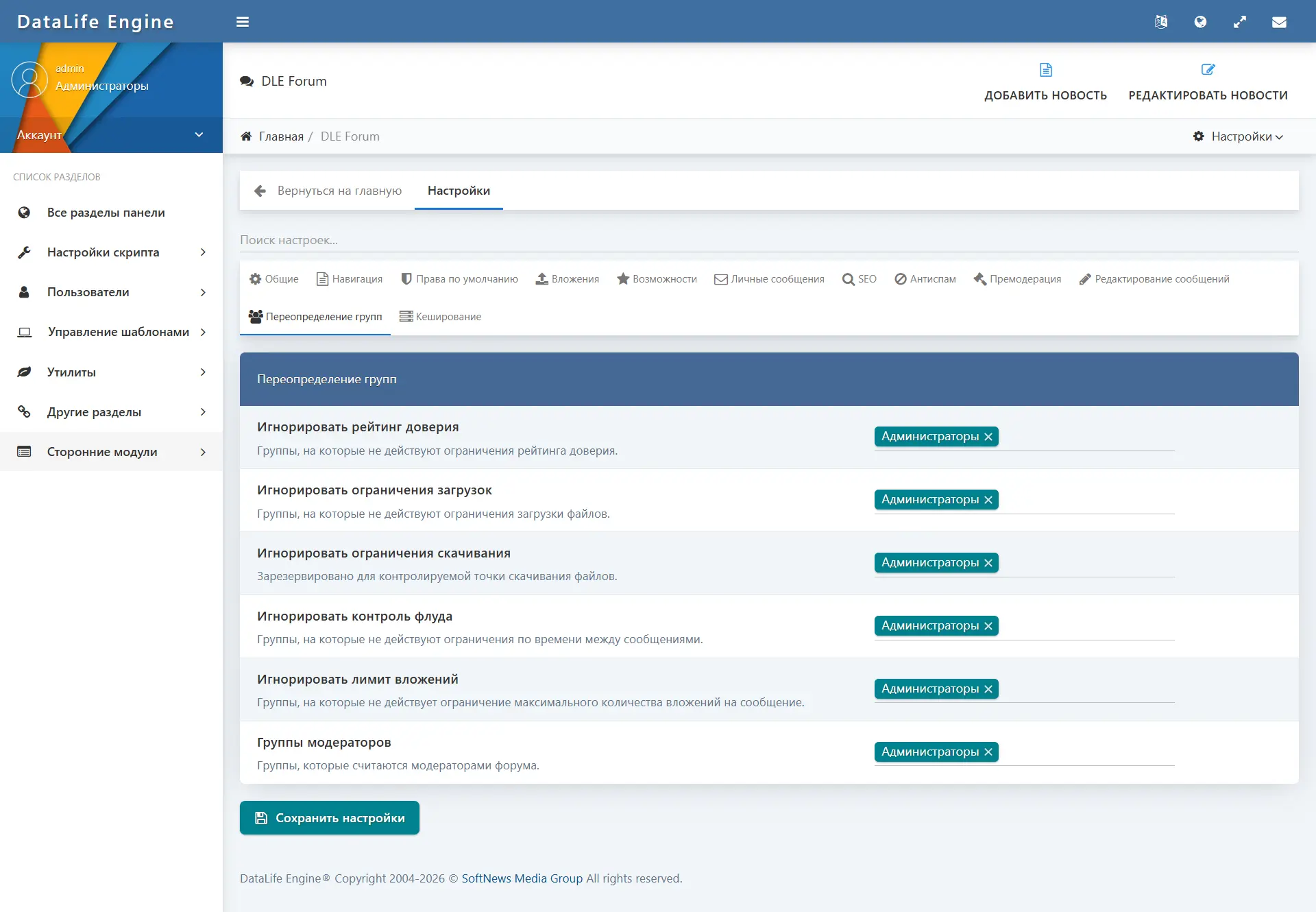
- Groups with extended permissions (moderators, administrators) can bypass trust-level restrictions and individual restrictions.
- The forum can be completely disabled for regular users without affecting moderator and administrator access.
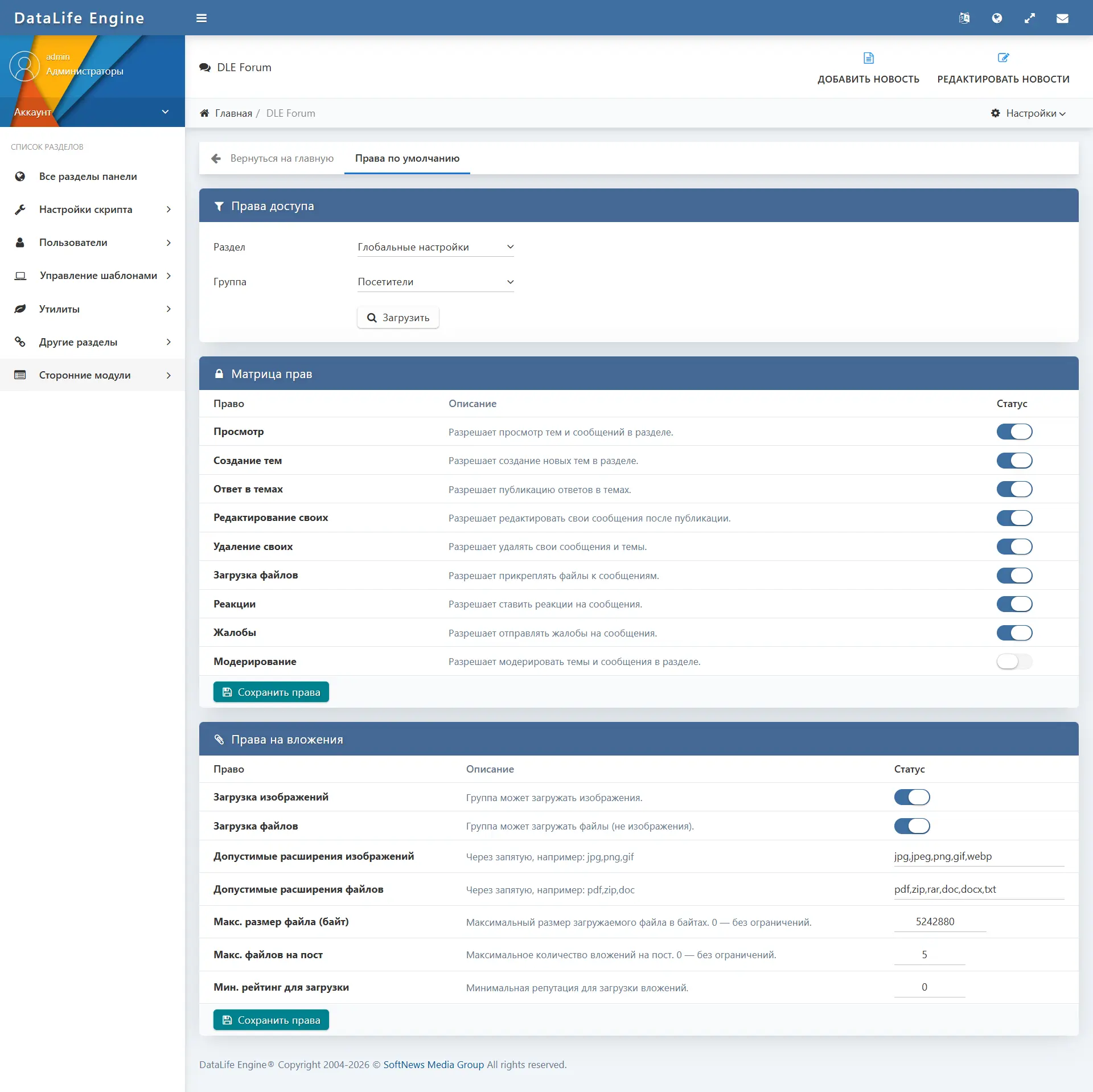
- Attachment upload permissions are separated by group: allowed extensions, maximum file size, permission to upload images and regular files.
Search
- Full-text search across forum topics and posts.
- The search supports filtering by section, by author, and by date range (last day, week, month, year, or any time).
- Results show which type (topic or post) the found item belongs to.
- Guest access to search is configured with a separate parameter.
Admin Panel
The administrative part of the module is integrated into the DLE control panel and styled in the native DLE administrator interface. All sections are available through a single menu.
Main sections
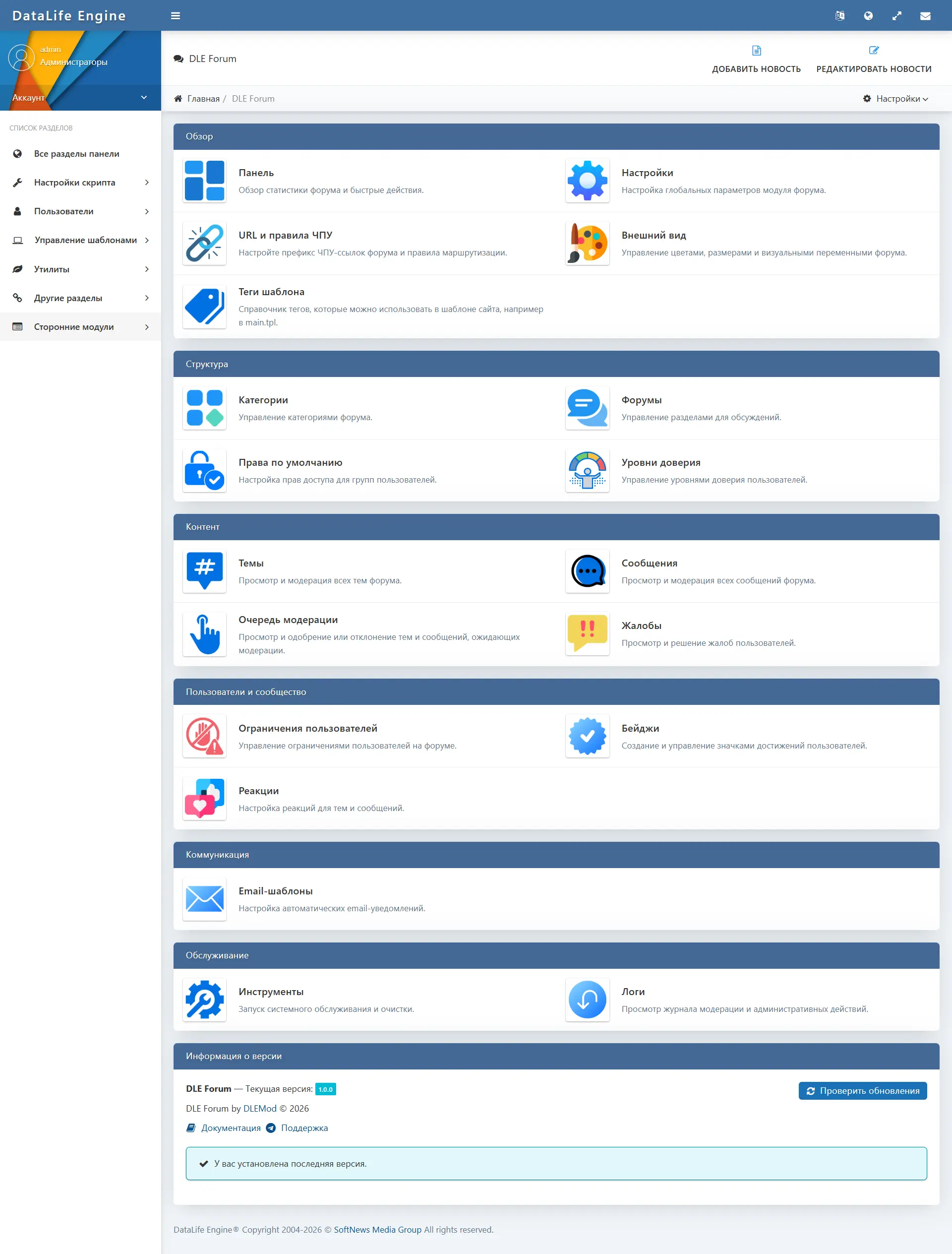
- Panel (Dashboard) — summary statistics: number of categories, sections, topics, posts, users, dialogs, private messages, attachments, active restrictions. Tables of recent topics, open complaints, and recent moderator actions.
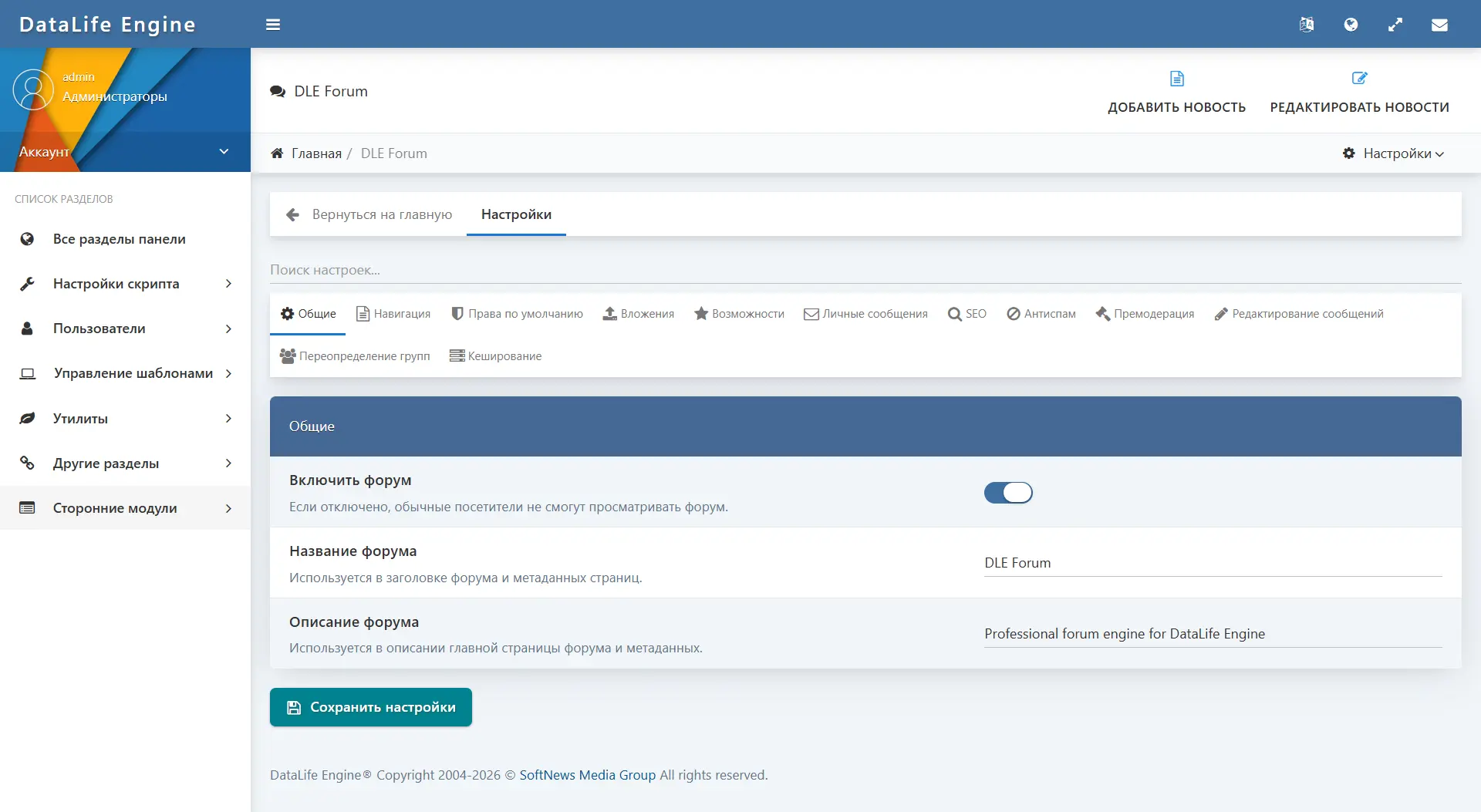
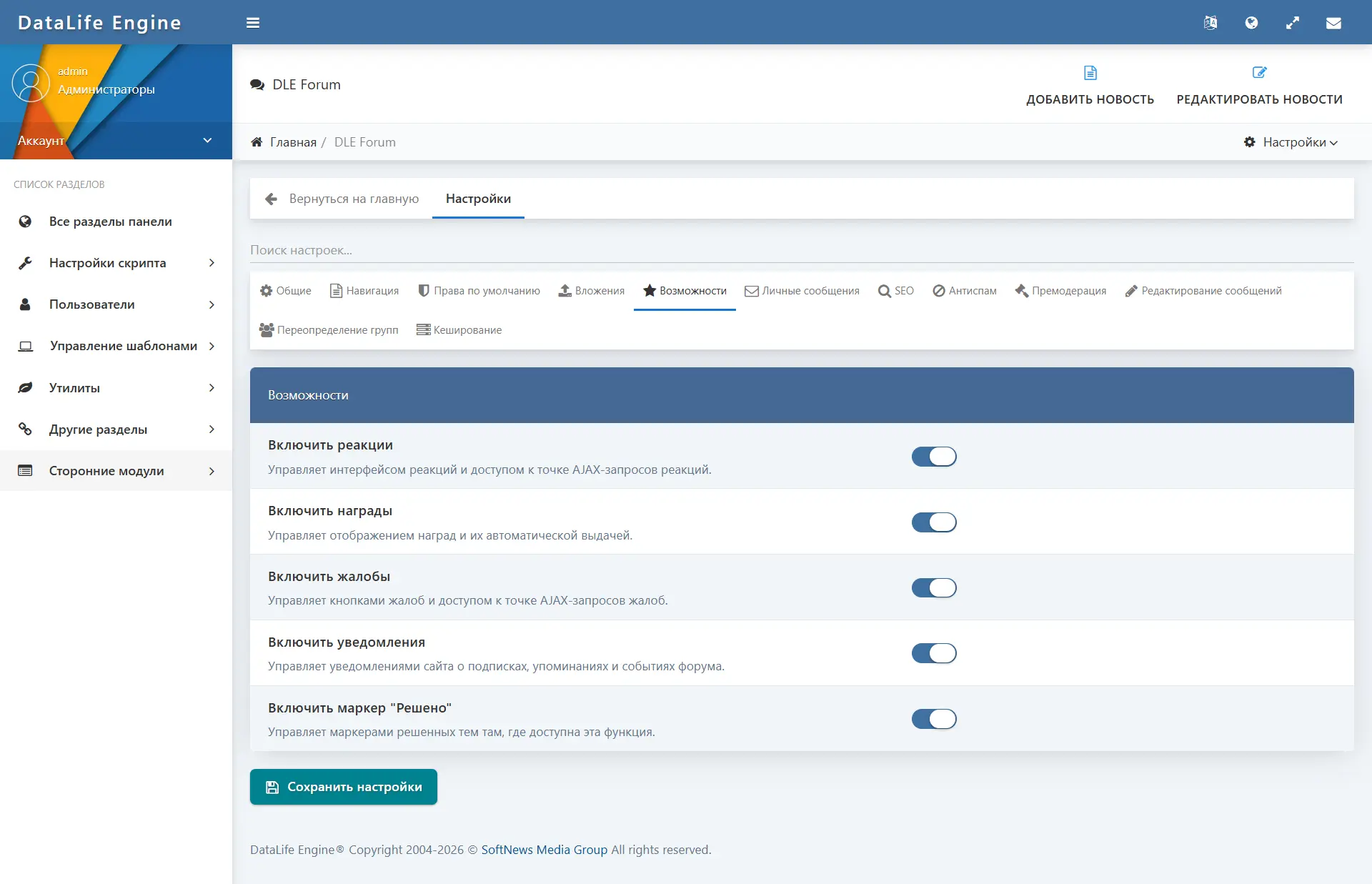
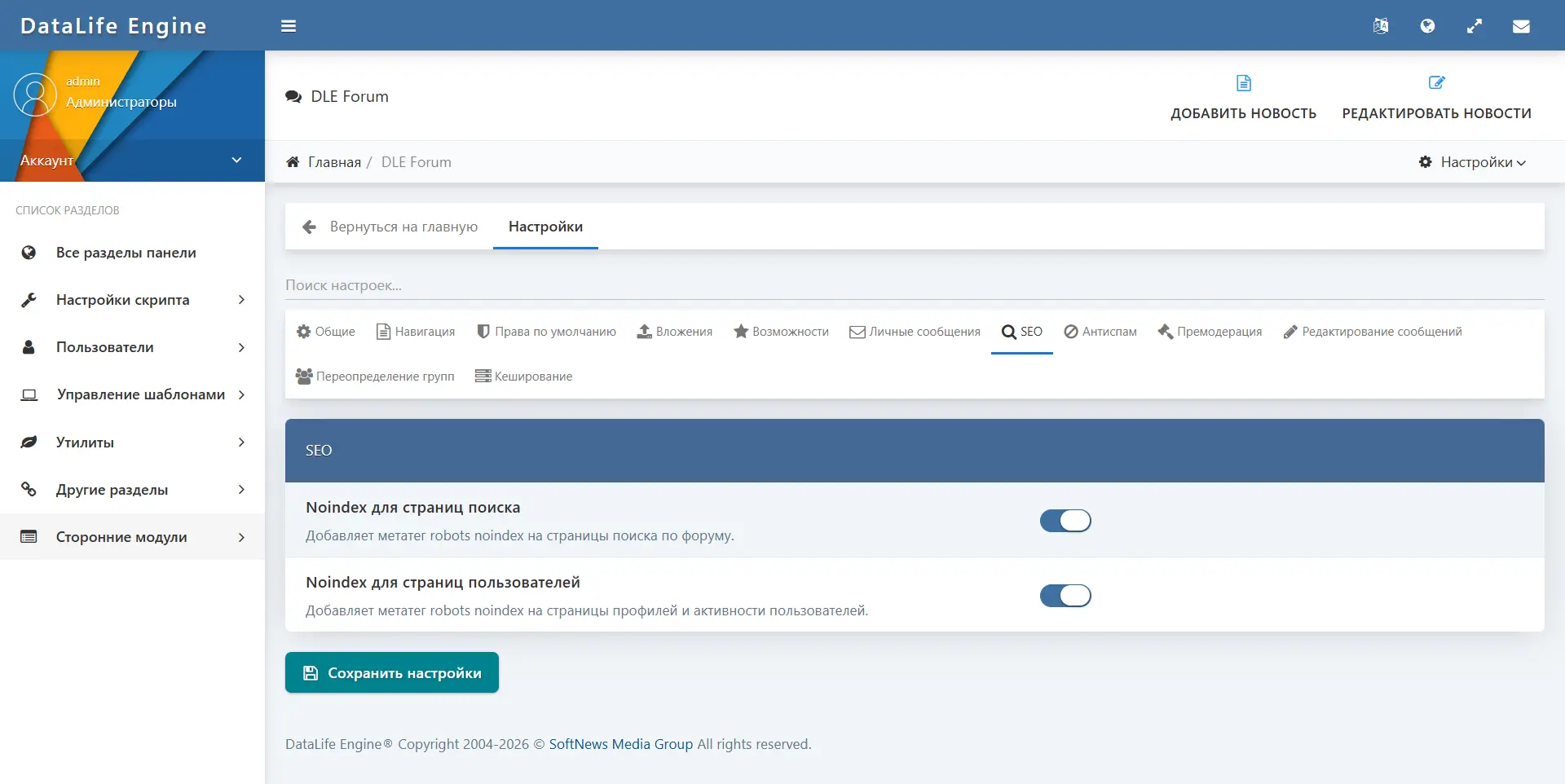
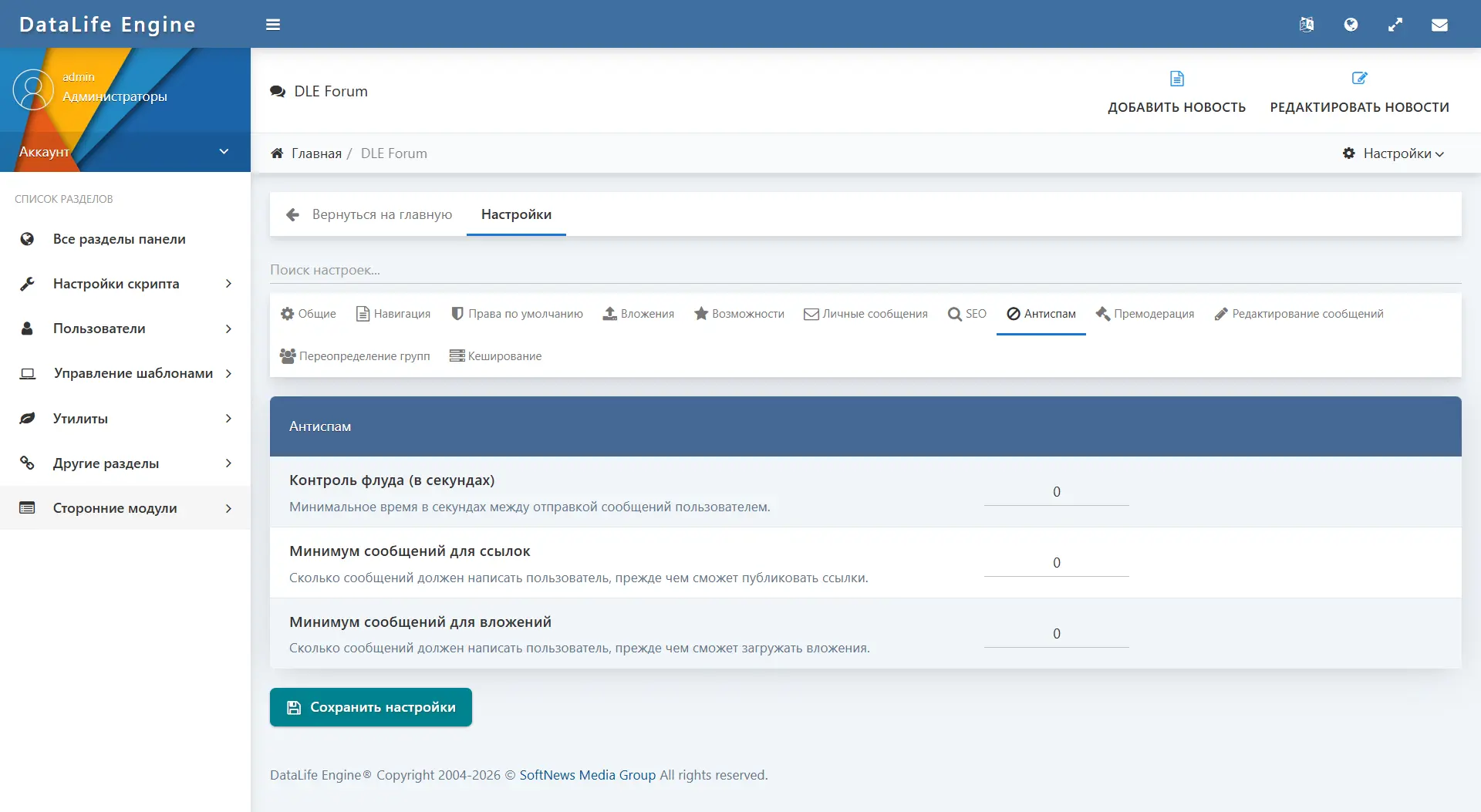
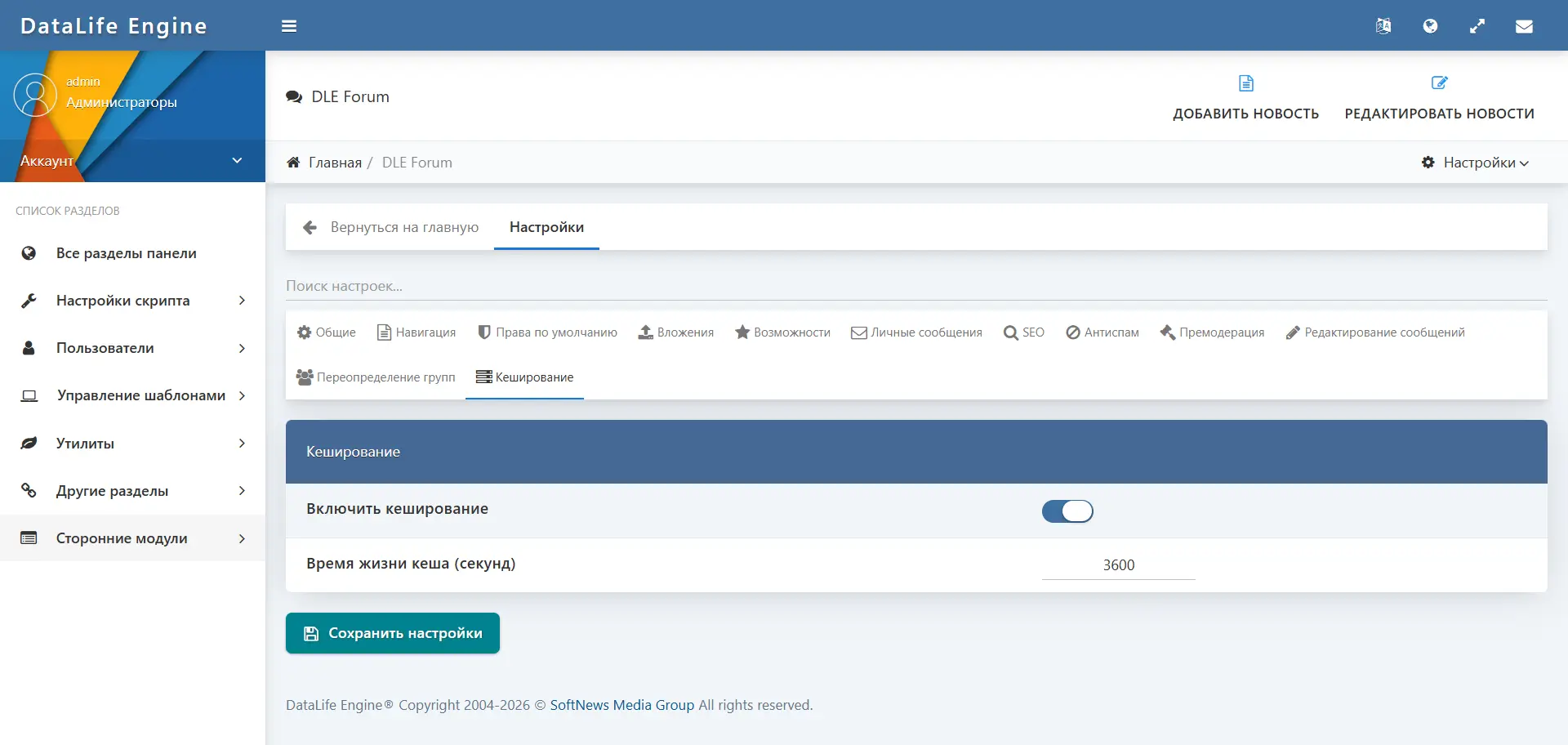
- Settings — more than 50 configuration parameters divided into tabs: General, Navigation, Default Permissions, Attachments, Features, Private Messages, SEO, Anti-spam, Message Editing, Group Overrides, Caching. Settings search is supported.
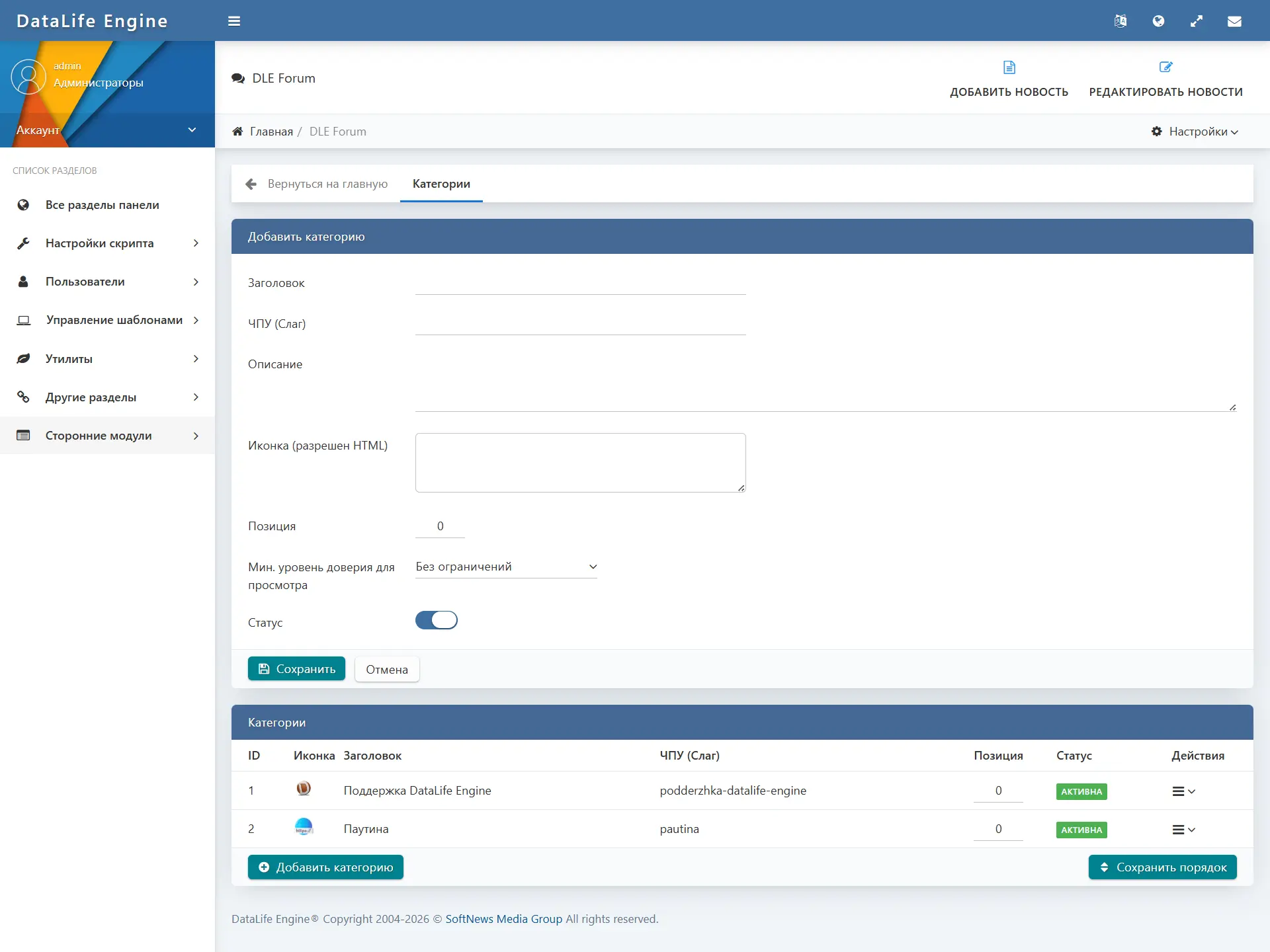
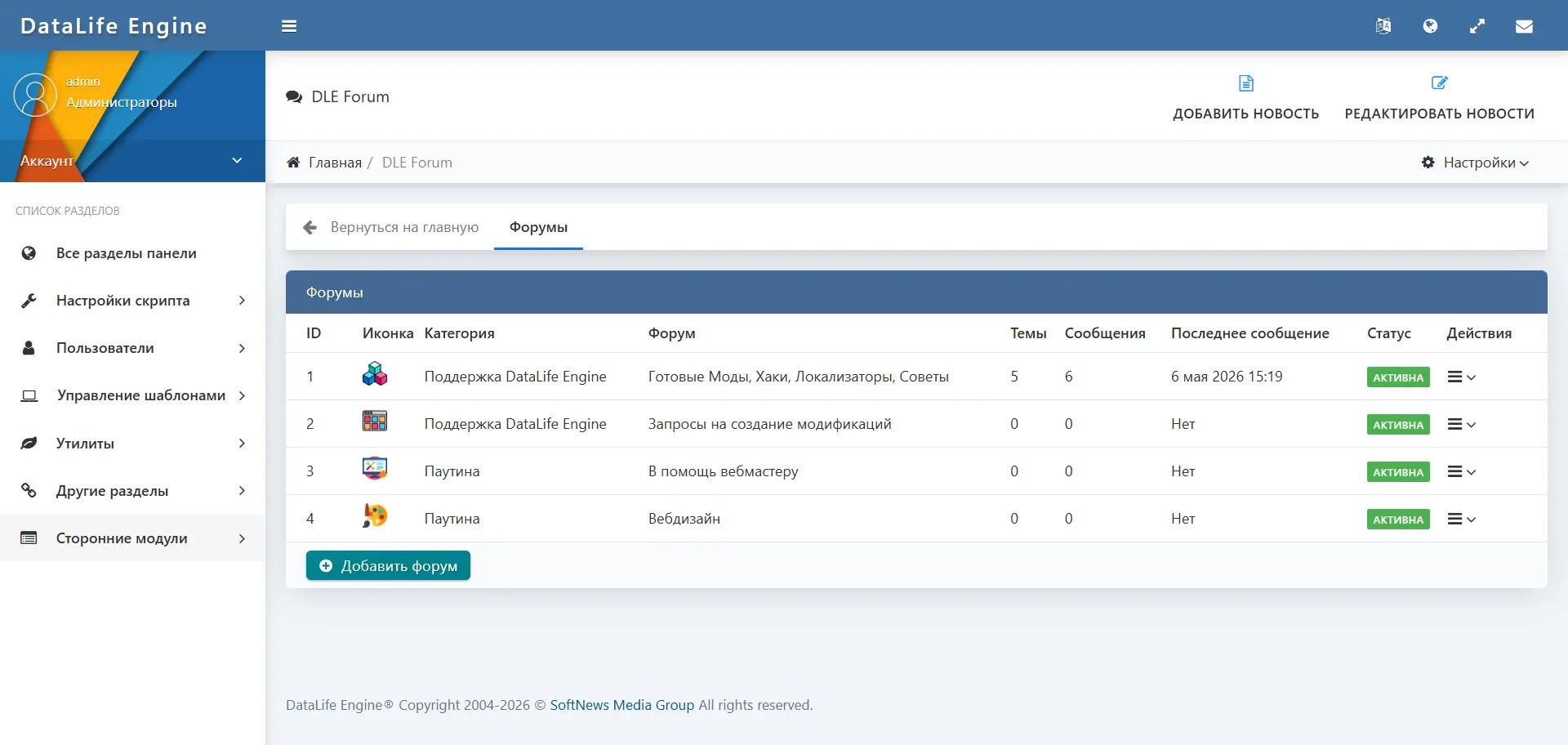
- Categories — create, edit, and delete categories. Support for icons (HTML, emoji, image), description, position, and status. Drag-and-drop sorting.
- Sections — full management of sections with icon settings, description, parent category, position, access rights, and trust level requirements.
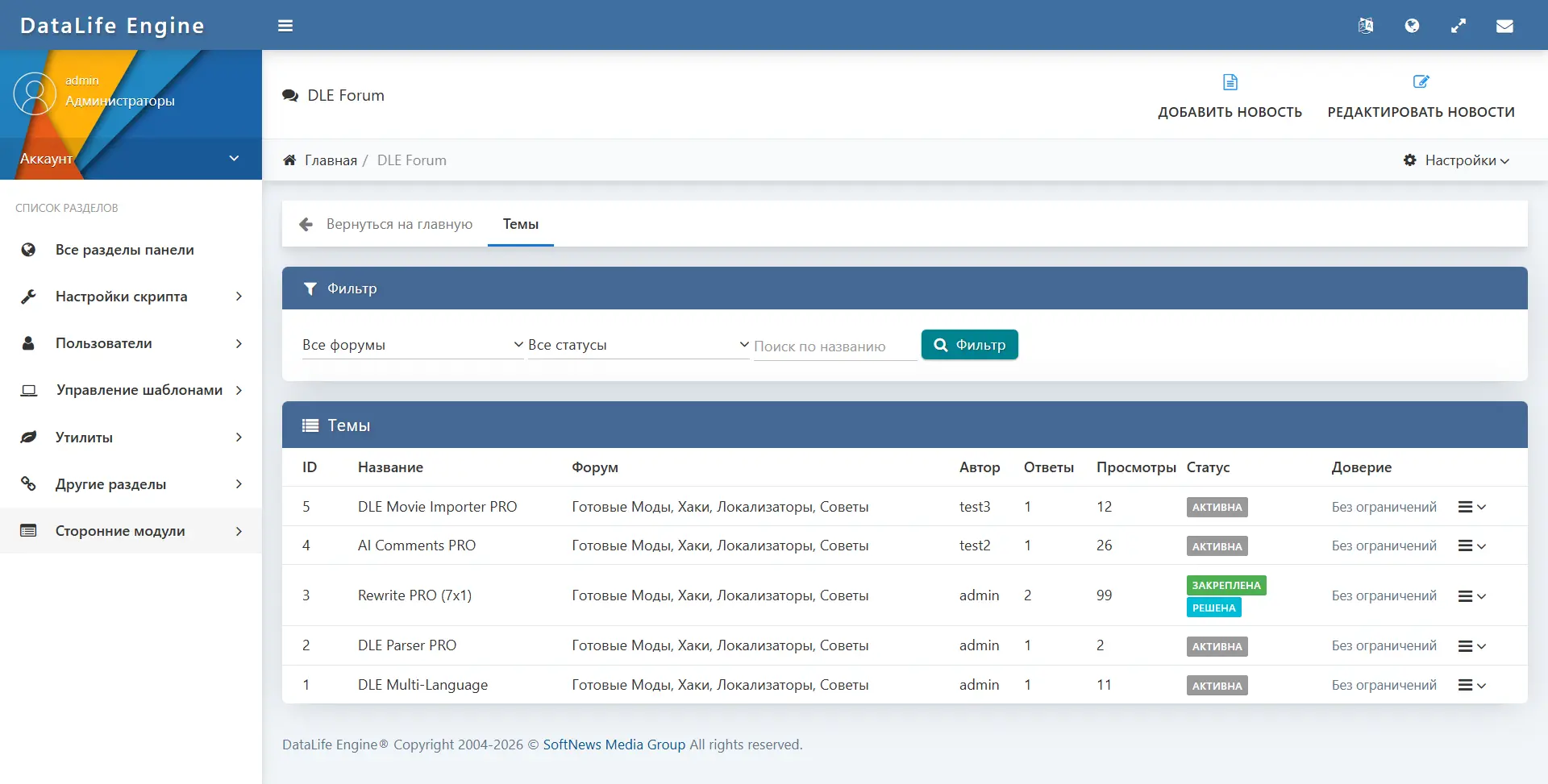
- Topics and Posts — viewing and managing all forum topics and posts.
- Permissions — permissions matrix by DLE user groups.
- Trust levels — create and edit trust levels with name, icon, color, minimum reputation threshold, and position.
- Complaints — list of all complaints with statuses and review tools.
- User restrictions — view and manage active restrictions.
- Badges — create badges, configure icons, colors, types (manual / automatic), and conditions for automatic assignment.
- Reactions — add, edit, and delete available reactions to posts.
- Email templates — edit email notification templates for each event type with variable support.
- Appearance — visual editor for forum CSS variables (more details in a separate section).
- URLs and SEO rules — configure SEO routes (more details in a separate section).
- Template tags — a reference page with a list of available global tags for insertion into the DLE template.
- Tools — recalculate statistics, clean up orphaned attachments and outdated temporary files.
- Logs — log of all moderator actions.
Appearance editor
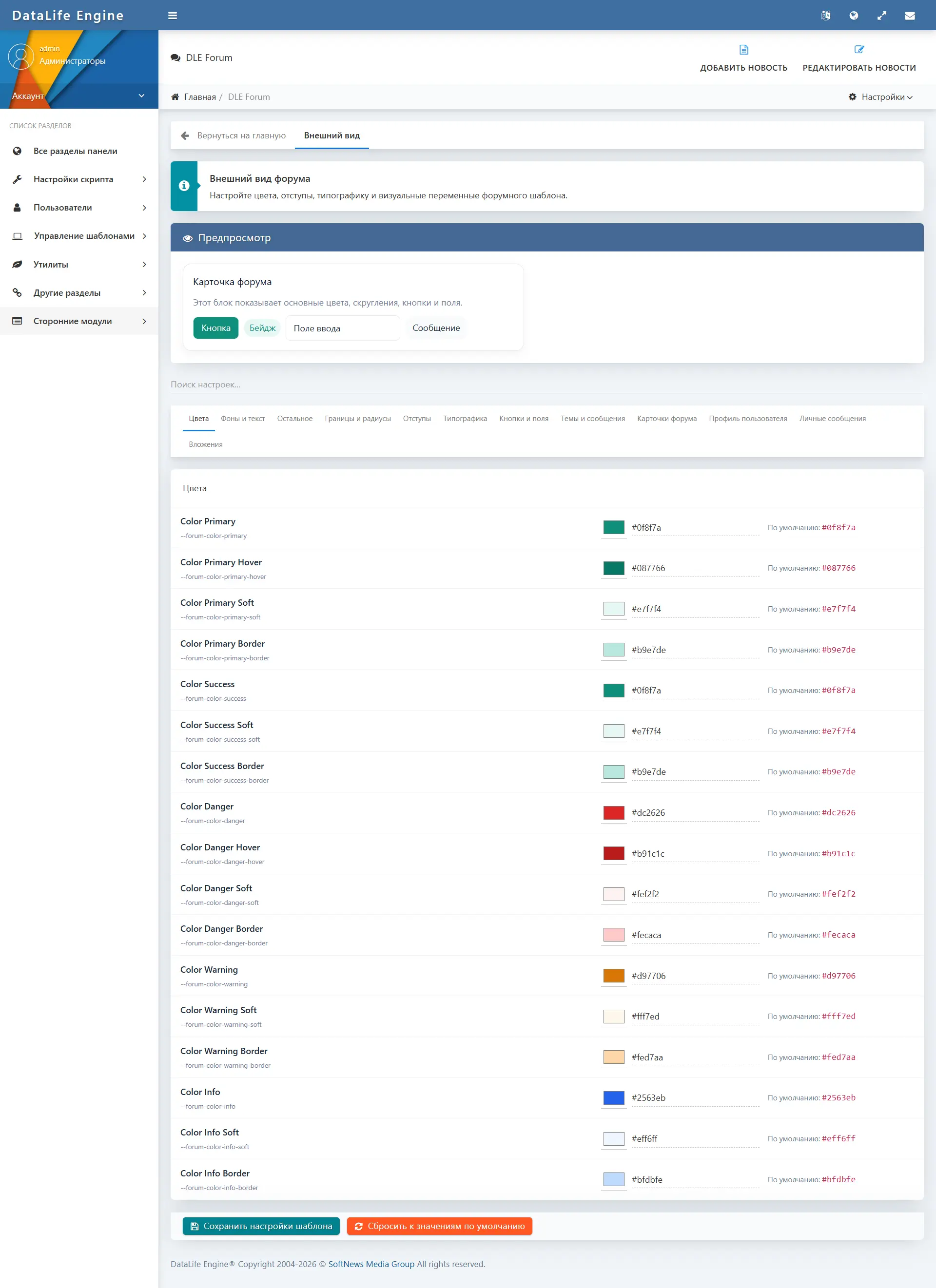
DLE Forum includes a built-in visual design editor, available in the “Appearance” section of the admin panel. It allows you to change the forum’s visual style without manually editing CSS files.
The editor manages more than 50 CSS variables, grouped by categories:
- Colors — primary color, hover color, success, error, warning, and information colors.
- Backgrounds and text — page background, card background, soft background, hover background; heading color, main text color, secondary and muted text colors.
- Borders and radii — border color, soft border color; small, medium, large corner radius, card corner radius.
- Buttons and input fields — button height, padding, text size; input field height.
- Forum cards — section card padding, inner spacing of the card; category and section icon sizes, section title size.
- Topics and posts — topic title size, author sidebar width, post padding, reaction button size and reaction icon size.
- User profile — profile cover height, avatar size, profile sidebar width.
- Private messages — dialog list panel width, message panel height.
- Attachments — attachment thumbnail width and height.
- Spacing and typography — global spacing and font settings.
Each parameter is displayed with its current value, default value, and a field for entering a new value. The page contains a live preview block — a forum card with buttons, an input field, a badge, and a message — that instantly reflects changes.
The “Reset to default values” button restores the original style. The generated variables are written to app.custom.css, which is loaded on top of the base app.css. This makes it possible to preserve user settings when updating the module.
SEO and routing
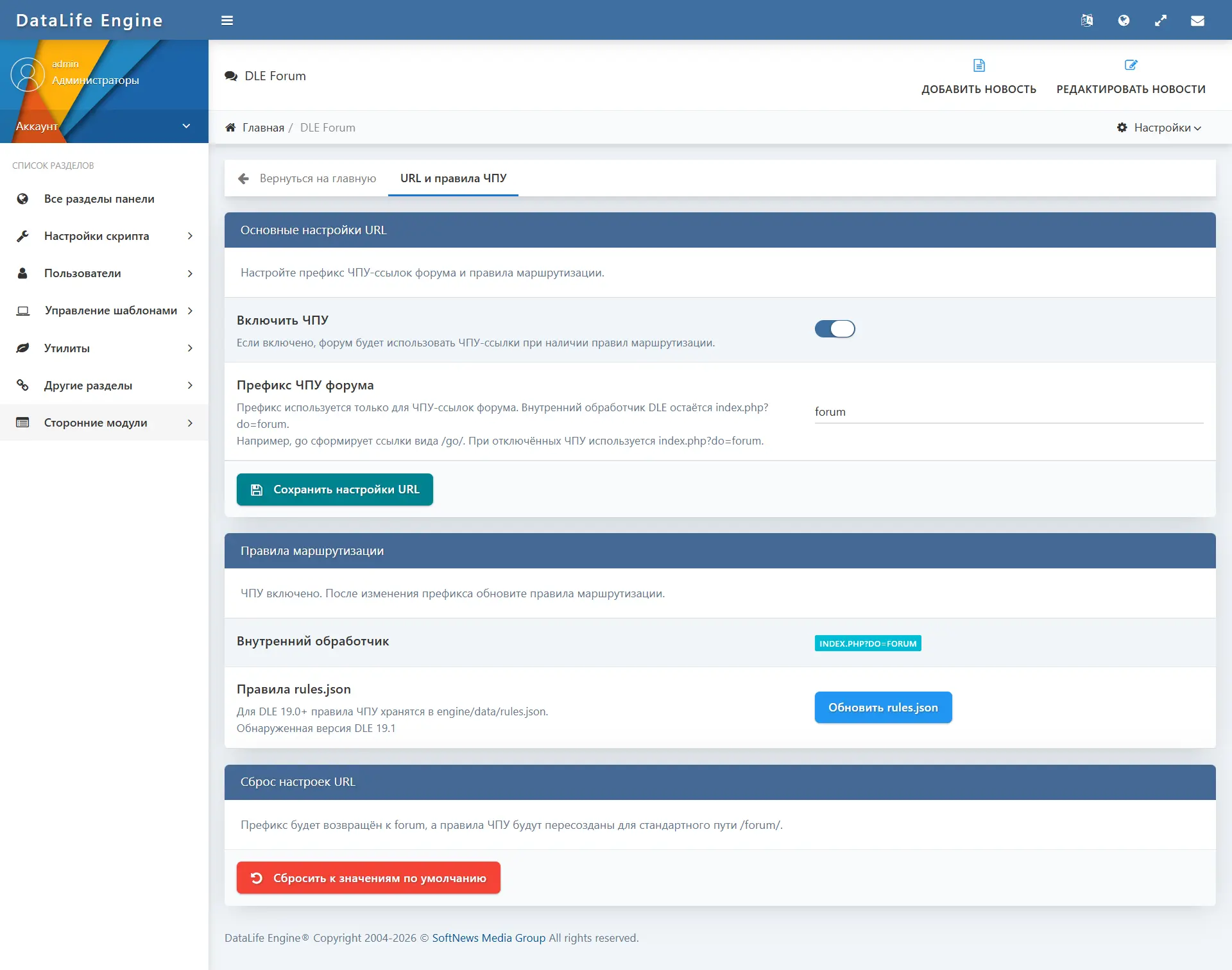
The forum supports SEO-friendly URLs with a configurable prefix.
- The forum’s base internal handler:
index.php?do=forum— works without additional server configuration. - The administrator sets an arbitrary SEO URL prefix (for example,
forum,community,talk), forming URLs like/forum/,/community/. - For DLE 19.0+: routing rules are written directly to
engine/data/rules.jsonvia the “Update rules.json” button in the admin panel. - For DLE 18.1 and below: the admin panel generates ready-to-use rules for Apache (.htaccess) and Nginx, which can be copied and added to the server configuration manually.
- The “Reset to default values” button returns the prefix to
forumand recreates the routing rules. - The module generates canonical meta tags and Open Graph data for forum pages.
Integration with the DLE template
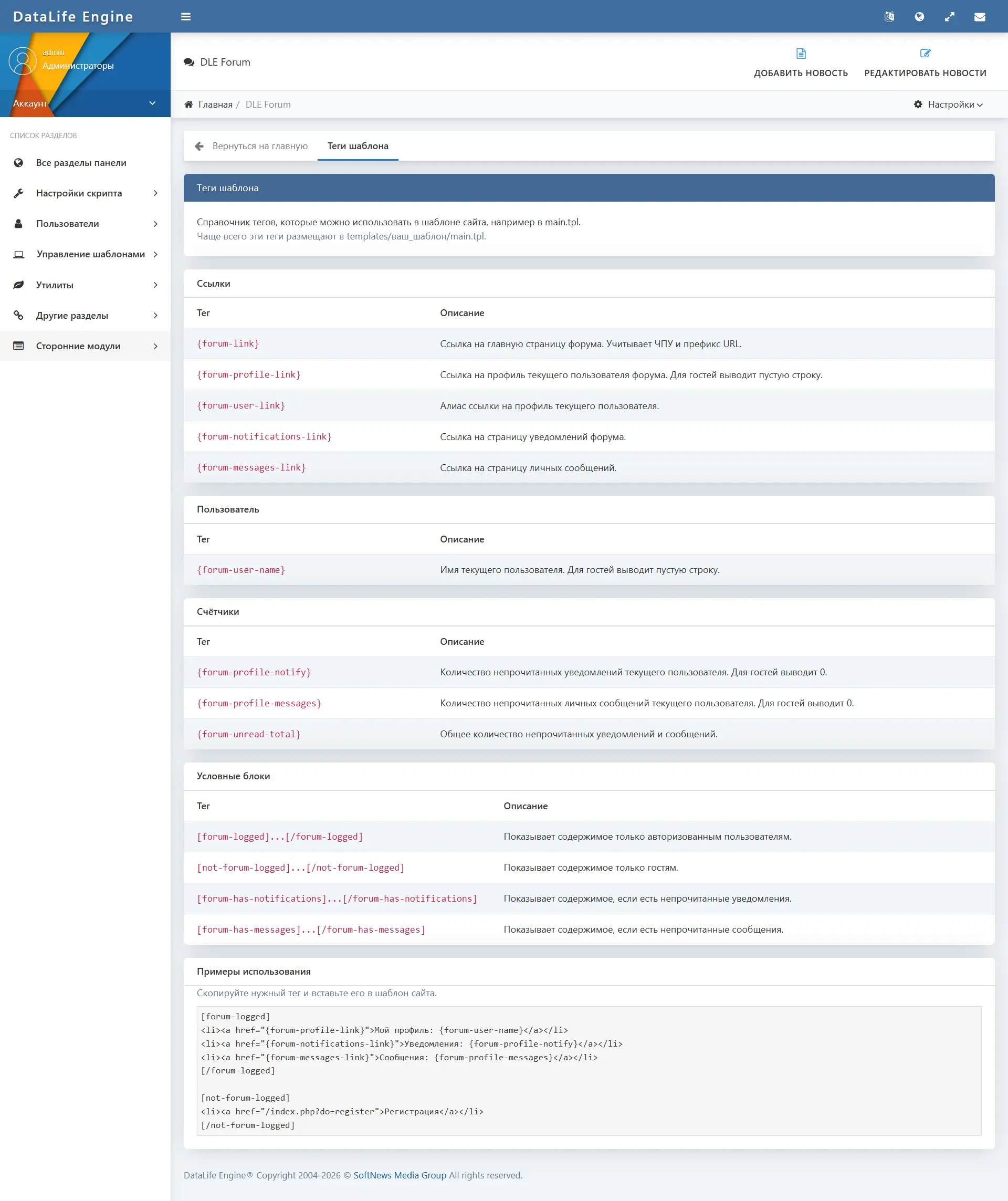
The module provides a set of global tags for insertion into the main DLE site template (main.tpl, header, footer, navigation). This makes it possible to display links to the forum, profile, notifications, and messages directly in the site’s common interface — for any authenticated users.
/forum/— link to the forum home page.— link to the current user's forum profile.0— link to the notifications center.0— link to the personal messages page.0— total number of unread notifications and messages./forum/notifications/— direct link to the notifications page./forum/messages/— direct link to the personal messages page.— block displayed only to authorized forum members....— block displayed only to guests.
The reference page with all available tags is available in the "Template Tags" section of the admin panel.
Native integration with DLE
The module is developed as a native extension for DataLife Engine and does not require the installation of third-party frameworks, Composer dependencies, or external libraries.
- Uses the DLE user and group system without creating a separate user table.
- The administrative part is integrated into the DLE control panel and follows its style.
- Forum templates are connected through the standard DLE template mechanism and are located in the active site template folder.
- The module language is connected through the standard DLE language mechanism; a full Russian translation is included.
Security and upload protection
The module implements several levels of protection without claiming absolute security.
- All POST requests that modify data are checked for a valid security token (CSRF protection).
- Access to each action is checked server-side regardless of the UI state.
- Uploaded files are checked by extension; storage paths for attachments are validated, and unsafe paths are replaced with the default one.
- File downloads go through a protected endpoint rather than a direct file link: user permissions are checked before the file is served.
- Rate limiting (flood control) is applied for sending messages, replies, and other actions.
- All SQL queries are executed through parameterized statements.
- Output data is escaped before being displayed in the template.
Use cases
- Product or service support forum — topic sections, pinning important topics, “solved” status, notifications for staff.
- Thematic community on a DLE site — a forum with profiles, badges, trust levels, and reputation builds an engaged audience.
- Community of webmasters and developers — sections with trust-level restrictions, attachments, code quoting, reactions.
- Q&A discussions — the ability to mark the best answer makes it possible to build a question-and-answer format within topics.
- Closed sections for specific groups — access control by DLE user groups and trust levels makes it possible to create private or VIP sections.
- Social communication within a DLE site — private messages, profiles, and notifications give users tools to communicate without switching to external messengers.
- Feedback and discussion of site materials — the forum complements standard DLE comments with structured thematic sections.
Conclusion
DLE Forum is a full-featured forum and community layer for DataLife Engine, combining the classic forum structure, modern social features, and management tools in a single native module. The forum, user profiles, reputation system and trust levels, private messages, notifications, attachments, badges, reactions, moderation, flexible access rights, and the visual design editor — all these components work together and are managed from a single DLE admin panel.
The module is suitable for any DLE site that needs a structured discussion section with a modern level of communication between users.
Screenshots
Choose a suitable plan
We offer flexible licensing options depending on your needs.